Motion graphics, described instead of keyframed
The keyframe era gave you a timeline and a thousand handles. CoAnimator gives your AI agent the studio: describe the animation, scrub the result, refine by asking, and render on your machine.
macOS · Windows · Linux · no credits, no render limits
 Antigravity
made with coanimator
Motion graphics that shipped
The Copilot SDK v2.5 reel, built in CoAnimator and posted to the YourGPT feed, where it passed 417K views.
start from something that works
Three templates to start from
Each installs as a working project with an agent skill attached, so your agent starts from a finished example of the style rather than a blank file.
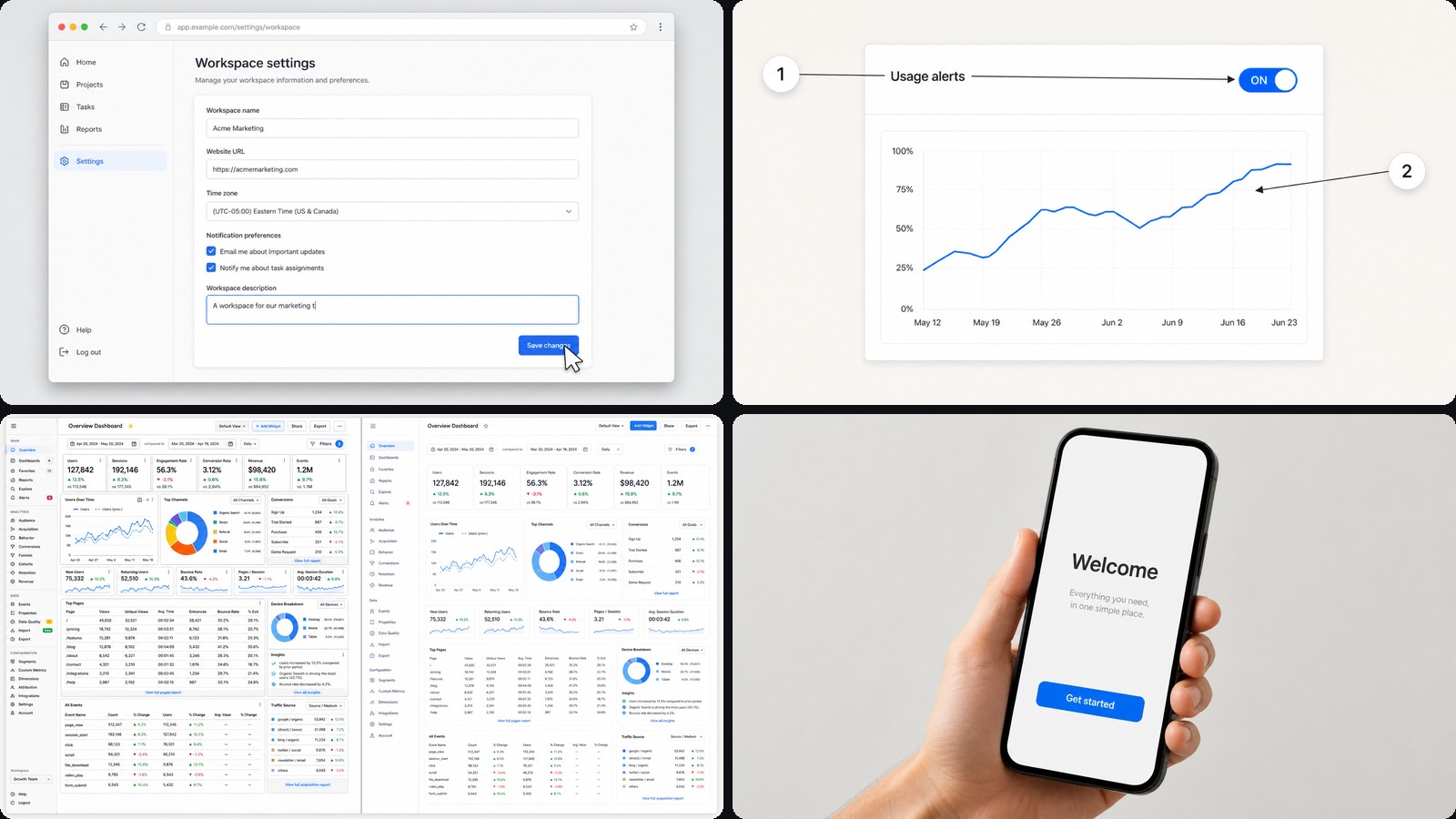 Product Demo VideoA clean, punchy product reel: bold type, smooth entrances and a bright studio look. Built to show off an app, SDK or launch in under a minute.
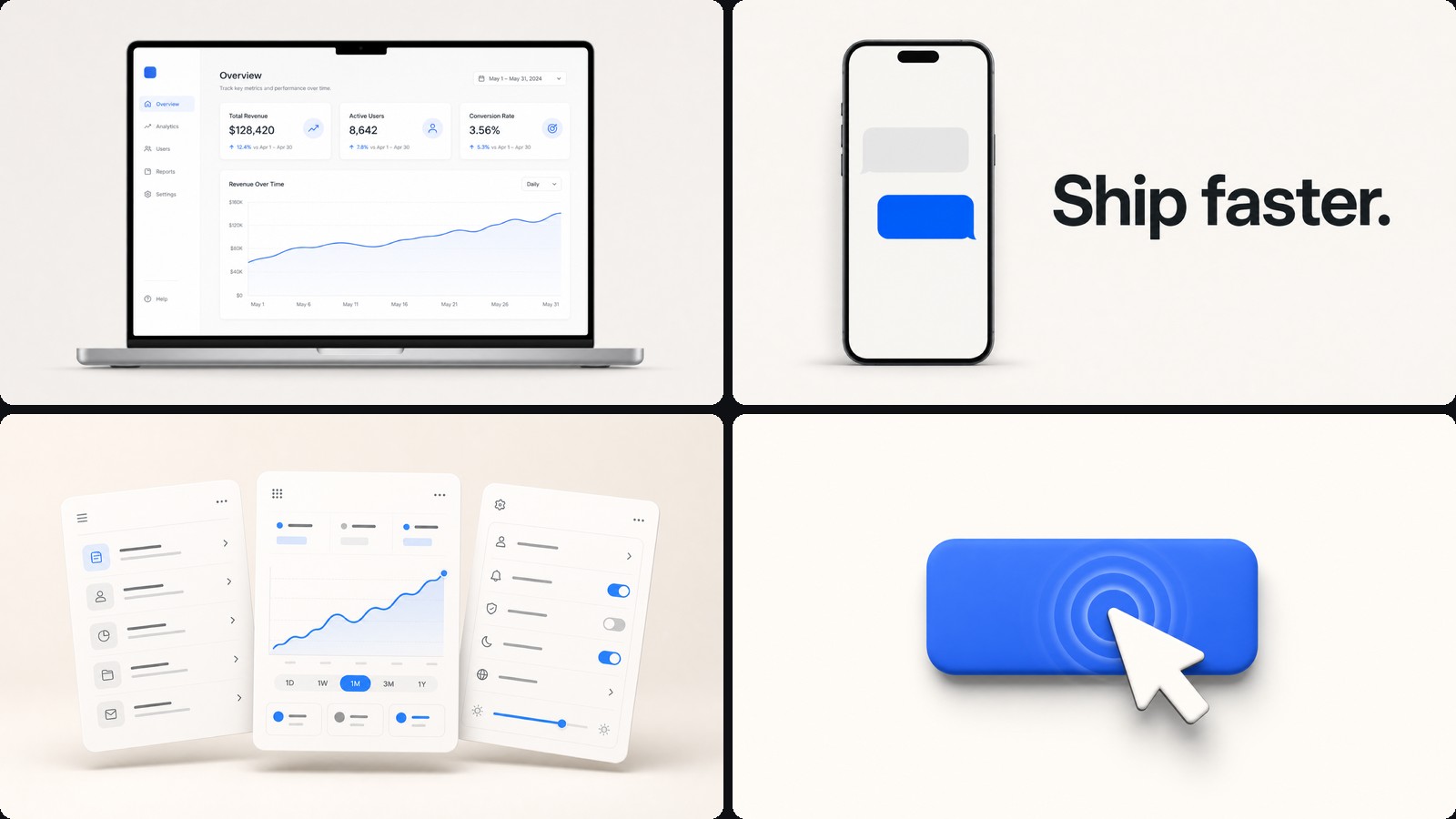 Motion Graphics VideoKinetic titles, shapes and transitions for intros, promos and explainer beats. The classic CoAnimator starting point — describe what you want, then shape it scene by scene on the timeline.
 Map AnimationAnimate a journey across a hand-painted watercolor map. The camera flies between real coordinates, drops into footage at each stop, and every frame settles into a postcard beside its pin — then the whole cut re-frames itself as a 9:16 reel. Travel films, trip recaps, route stories, expansion maps.
describe, don't keyframe
You direct the motion.
The agent times it.
Easing curves, per-word timing, choreographed transitions: precise structured work is what agents are fluent in. You say “hold the logo a beat longer before the cards land” and watch the stage reload, rather than dragging handles in a graph editor.
just ask
An explainer is
a conversation now
A motion-graphics explainer used to mean a designer, a brief and a week of keyframes. The one playing here came out of a conversation: describe the beat, watch it land on the timeline, keep talking until it is right.
Every look the studio ships works the same way, so the ask is the whole skill.
a series, not a one-off
Keep the style.
Change the script.
A project is plain files, so a style that worked becomes the starting point for the next one. Duplicate it, hand the agent a new script, and keep the type system, the palette and the pacing.
Teams run whole feed series this way, where each post is a re-author rather than a rebuild.
how it's built
How to make a motion graphics video in CoAnimator
- 01
Describe it
A brief in plain language: what the video shows, the moments that matter, the tone. No timeline surgery.
- 02
The agent builds the scenes
Claude Code, Codex, Antigravity or OpenClaw. The agent authors each scene as editable code on the templates and skills the studio ships.
- 03
Narration lands timed
The built-in voiceover plugin renders the narration part by part and places every line on the timeline where it belongs.
- 04
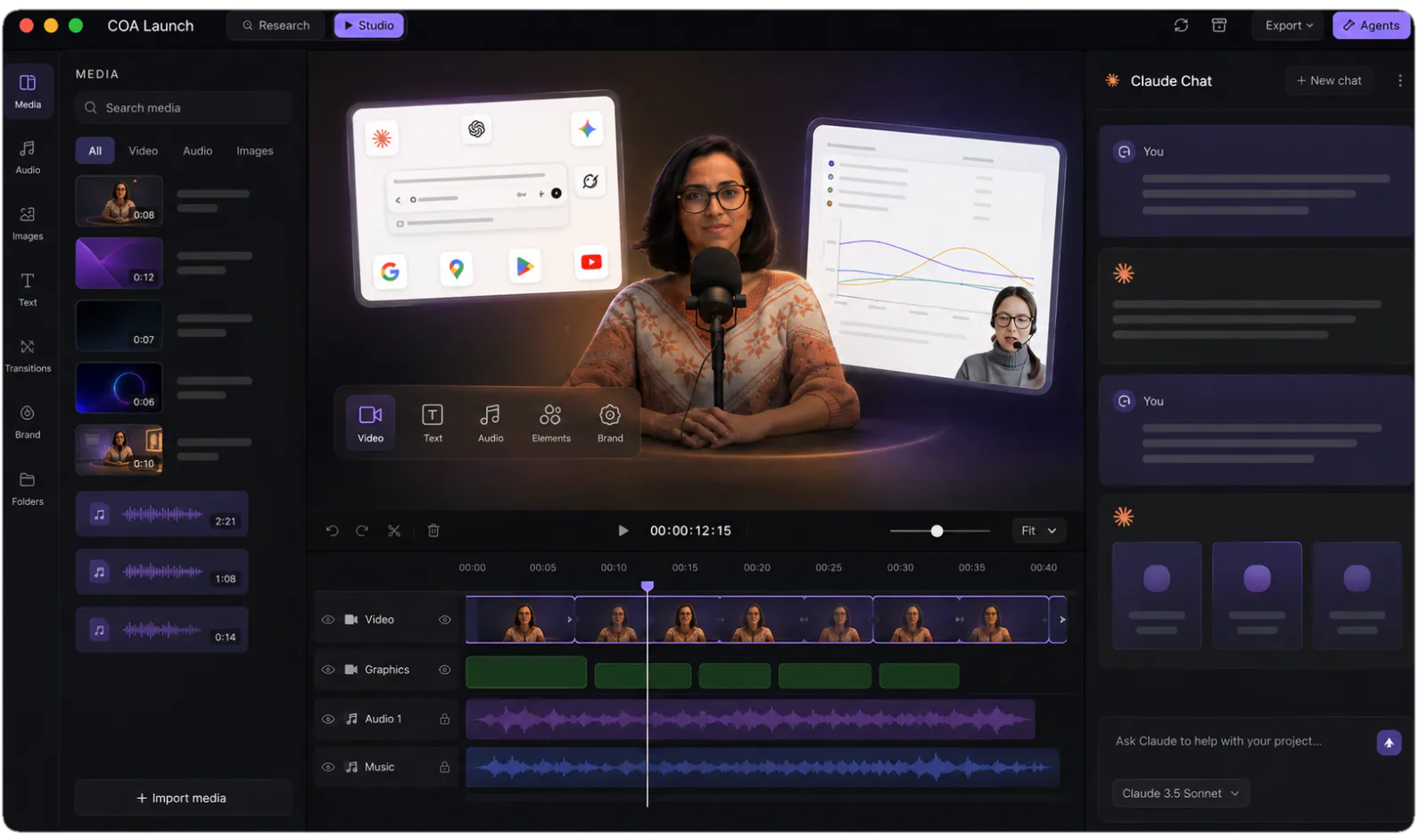
Review in the editor
Timeline, media panel, live stage. Steer with feedback like "slow the intro" or "swap that screenshot", and watch it hot-reload.
- 05
Render locally
MP4 exports run on your machine, in-app or headless via the coa CLI. Never metered, however many you render, and nothing uploads anywhere.
the difference
Where the hours go
| Keyframe tools | Template generators | CoAnimator | |
|---|---|---|---|
| Who does the motion | You, curve by curve | Their template | Your agent, authored as code |
| First version | Hours | Minutes | Minutes |
| Changing it later | Reopen and re-keyframe | Re-export from scratch | Ask, then re-render |
| The next post in the series | Duplicate and rebuild | Same template again | Same project, new script |
| What you own | A project file | One MP4 | Plain files that stay openable |
| Rendering | Local, your CPU | Their servers, often metered | Local, unmetered |
FAQ
What is motion graphics software?
Motion graphics software animates graphic elements, meaning type, logos, shapes, charts and UI, over time to produce video, as opposed to editing captured footage. The category splits into keyframe tools like After Effects, browser canvases like Jitter, and code frameworks like Remotion. CoAnimator is an agentic entry in that landscape: an AI agent authors the animation as code from your description, and you direct instead of keyframing.
How does an AI agent create motion graphics?
The agent authors the motion directly: easing curves, per-word timing, choreographed transitions, which is exactly the kind of precise, structured work AI agents are fluent in. You watch the stage hot-reload with each edit and steer by describing the change; the result exports as MP4 through a local, chunk-parallel render.
Can I reuse a motion graphics project for the next video?
Yes. A CoAnimator project is plain files, so a proven style becomes a starting point: duplicate the project, hand the agent the new script, and keep the type system, palette, and pacing. Teams run whole feed series this way, where each post is a re-authored variation instead of a from-scratch build. Nothing sits in a proprietary format, so old projects stay usable.
What motion graphics styles can CoAnimator produce?
Anything the web engine can draw: kinetic typography, animated charts and UI cards, real-footage effects like text-behind-subject and spotlights, low-poly WebGL 3D, hand-drawn looks, and ASCII terminal graphics. Templates package the proven styles with agent skills and finished sample projects, so your agent starts from a working example rather than a blank file.
Is CoAnimator a replacement for After Effects?
For product videos, explainers, launch cuts, and title work, CoAnimator can replace After Effects for most teams, because an agent produces those formats faster than hand-keyframing does. For hand-crafted cinema work, meaning film titles, compositing-heavy VFX and frame-level artistry, After Effects remains the stronger tool, and honest motion designers will tell you so. The split is production speed and editability versus maximum manual control.
Do I edit on a timeline?
There is a full timeline with tracks, clips and audio when you want hands-on control, and the agent and you share the same project. Most edits are faster to ask for than to perform, but nothing stops you doing them by hand, and the two ways of working do not fight each other.
Does it do the sound design and narration?
Yes. The voiceover plugin renders narration from the script and places each part on the timeline, and the agent times the animation to the finished audio rather than roughly near it. Sound effects sit on their own tracks, which is how the teaser above gets its typing and impact hits. Both are normal edits afterwards, not a re-record.
What do I get out at the end?
MP4, rendered on your own machine at whatever aspect ratio you need, from the same project. Free exports are 720p with a small “Made with CoAnimator” watermark; the licence unlocks 4K and watermark-free exports. There is no per-export fee on either plan and no cap on how many you render.
One app. Your agent runs it.
Install CoAnimator, point it at the agent you already pay for, and describe the video. Every project stays editable and renders on your own machine.
