3D product videos, described into existence
Low-poly worlds, keyframed cameras, rigged characters and narrated scenes. Real WebGL on your GPU, authored by your agent from one file it writes and rewrites.
macOS · Windows · Linux · no credits, no render limits
 Antigravity
ships in the template
Two finished films you can open
Both were built the way the page describes, and both install with the 3D Explainer template as projects. Open either one and read the scenes, the narration and the timeline the agent wrote.
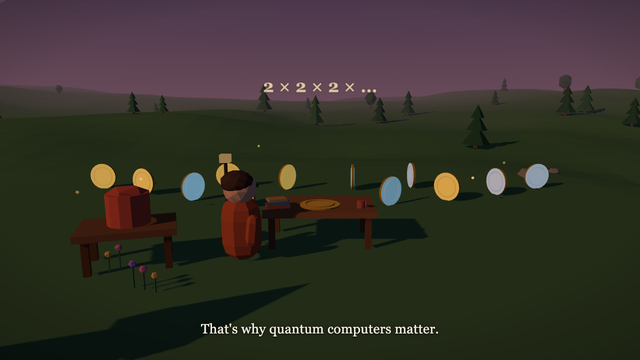
Quantum Superposition, Explained82 secondsA coin spins on a dusk low-poly set, hides under a cup, collapses when observed, multiplies into a glowing grid, and ends with two entangled coins under the night sky. 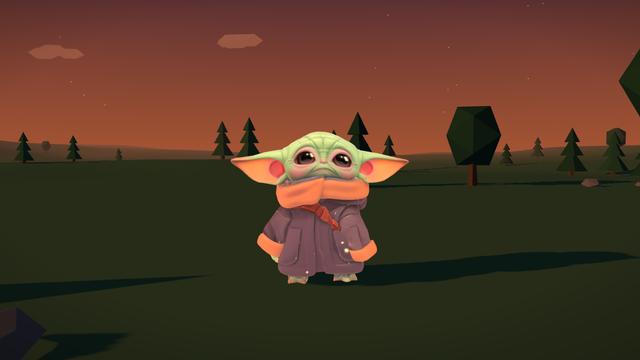
3D Character Demo35 secondsA small old wanderer walks a dusk road, pauses centre-frame, and turns back for her closing lines, with dialogue and a lonely ambient score.
one file, not a scene graph
Describe the shot.
The agent writes the world.
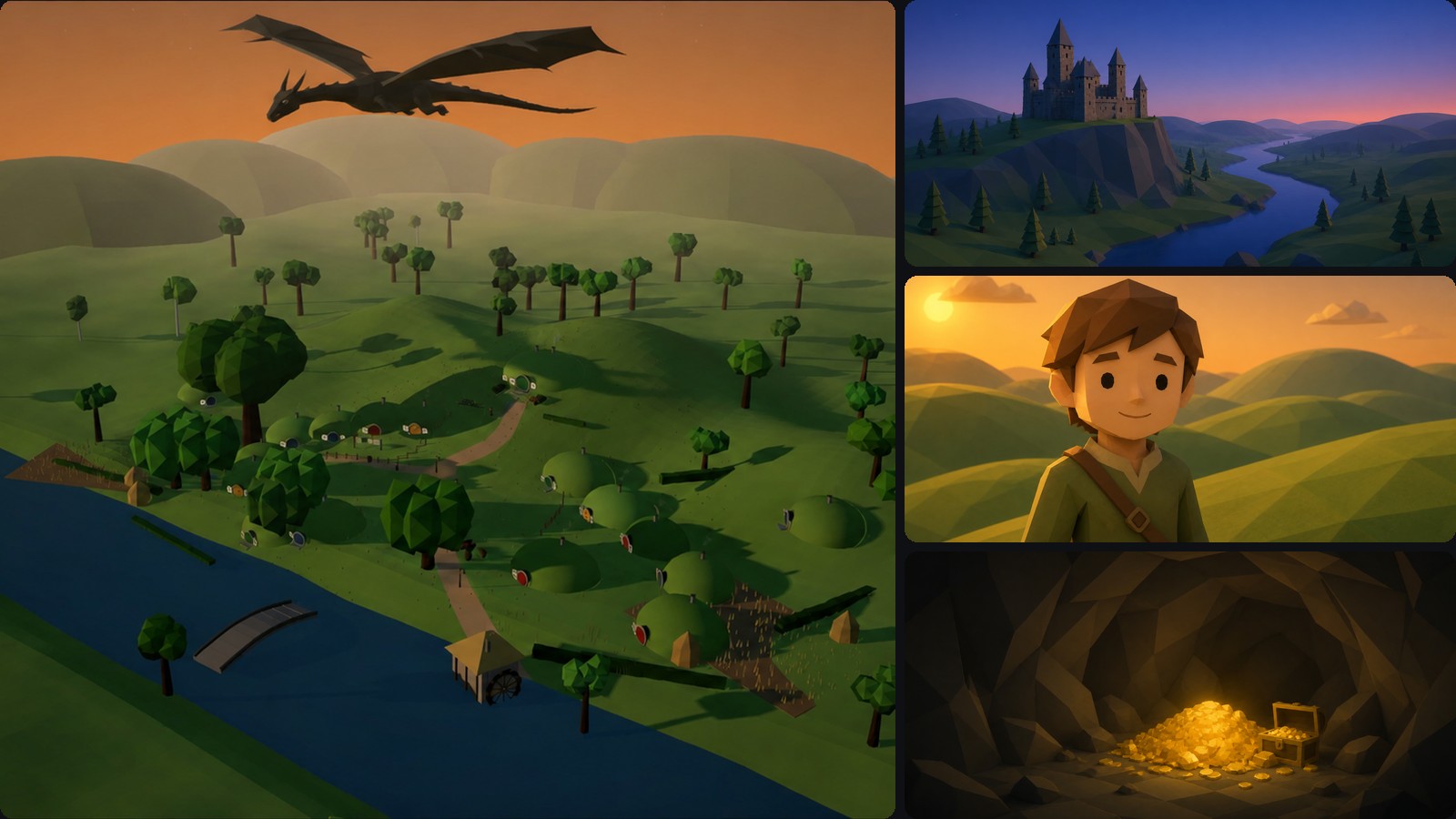
A shot is a row of named values: when it starts, one eased camera move, a gradient sky, a lighting rig, the props that stand in it. You ask for dusk and a slow push; the agent writes that, and the stage plays it back straight away.
real 3d, not stock
Preview and export
are the same frame.
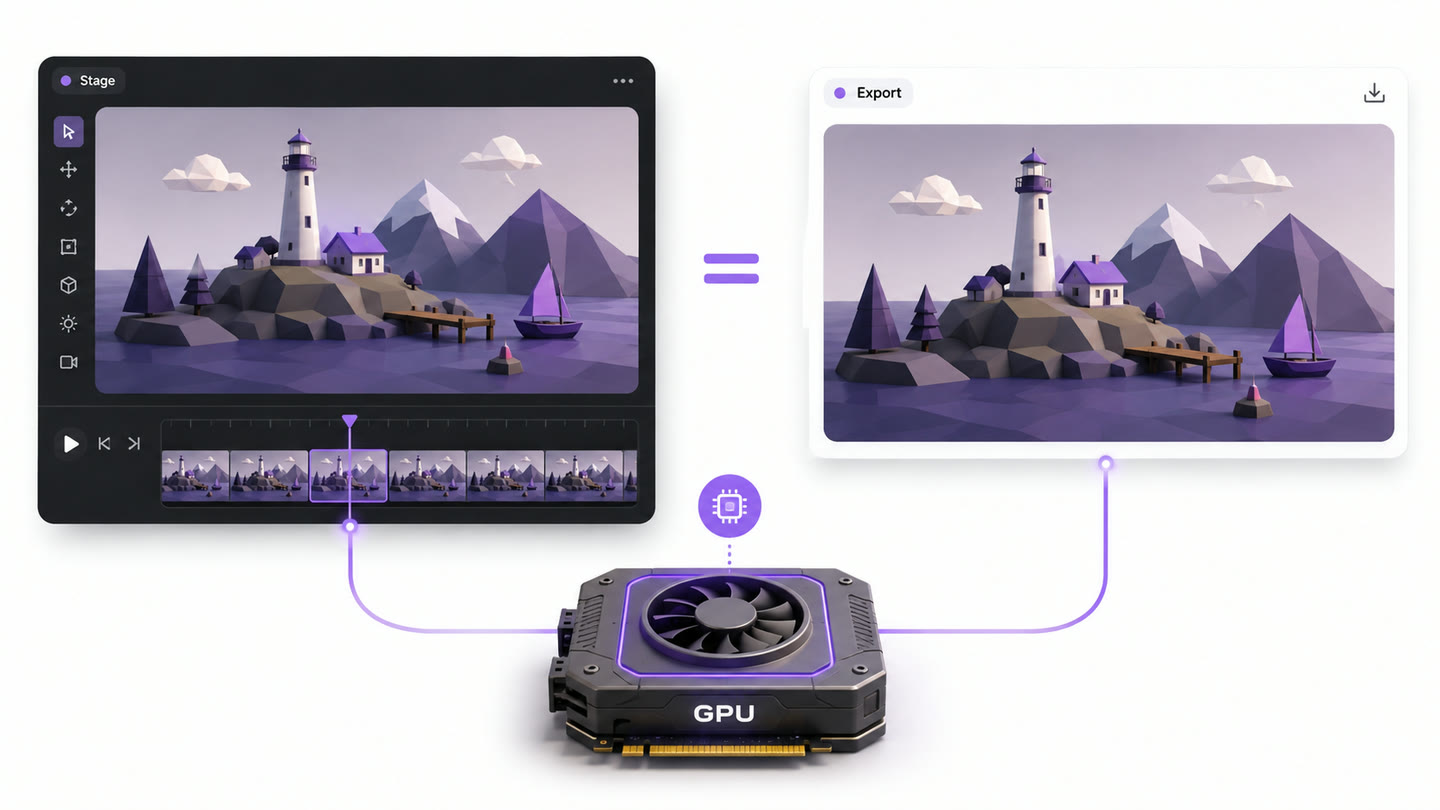
The scene runs on your GPU in real time. Scrub to a frame on the stage and that is the frame in the file. Nothing looks different once it renders.
These are real 3D worlds built for your product, not stock clips with a logo dropped on. The look is flat-shaded low-poly, and it reads premium without a 3D artist on staff.
dusk to dawn
Change the world,
not the whole film
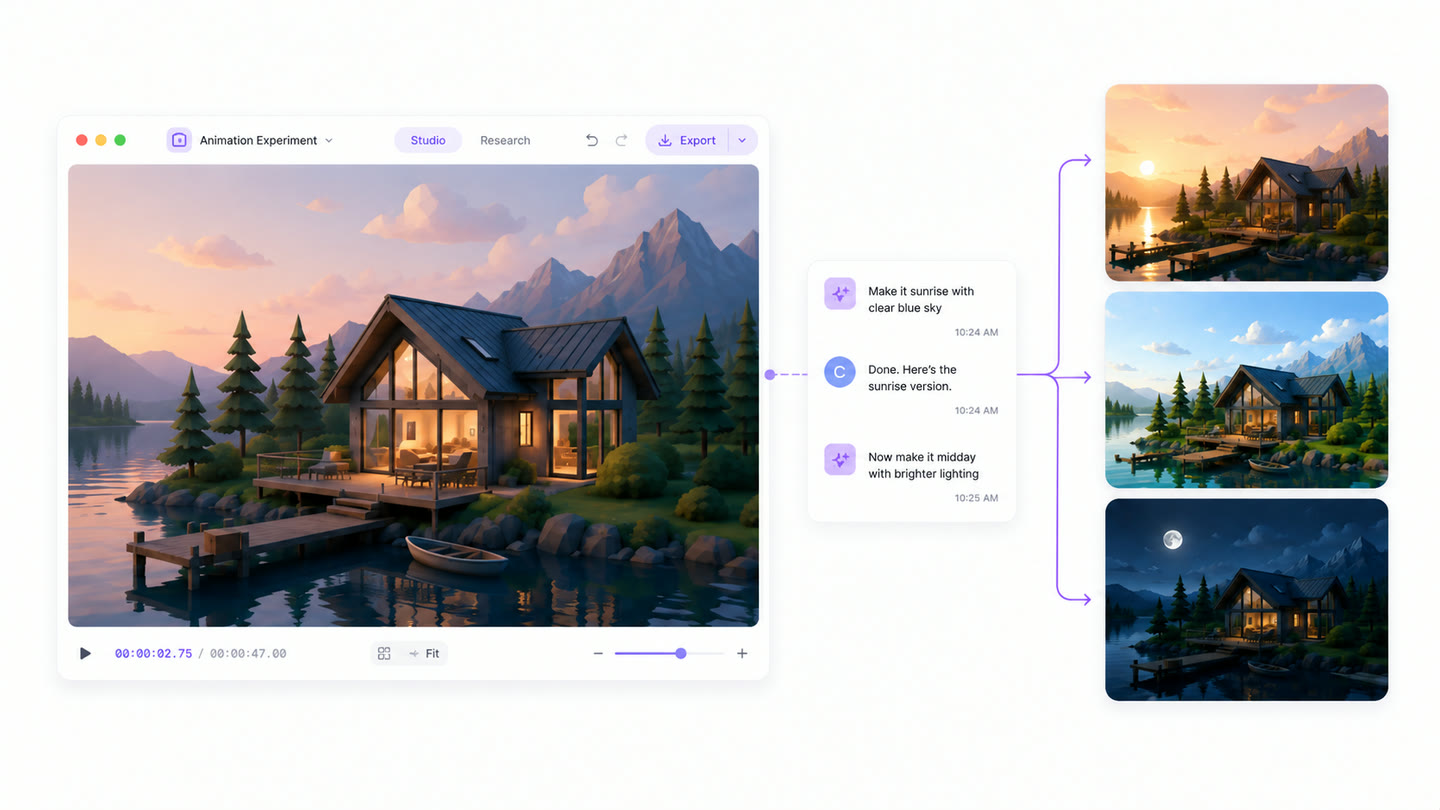
Nothing is baked into a frame. The sky, the lighting rig and every prop are values your agent can rewrite, so ask for dawn instead of dusk and every scene relights.
A change costs one edit and one render on your own machine. The scenes you did not touch come through unchanged.
how it's built
How to make a 3D product video in CoAnimator
- 01
Describe the shot
Time of day, the camera move, what stands in the scene. Plain language, not a scene graph.
- 02
The agent writes the world
One file holds the sky, the lighting rig, the props and the camera keyframes, all as values you can read and edit.
- 03
Narration and subtitles land timed
The voiceover renders scene by scene and the subtitles burn in, timed to the finished audio rather than roughly near it.
- 04
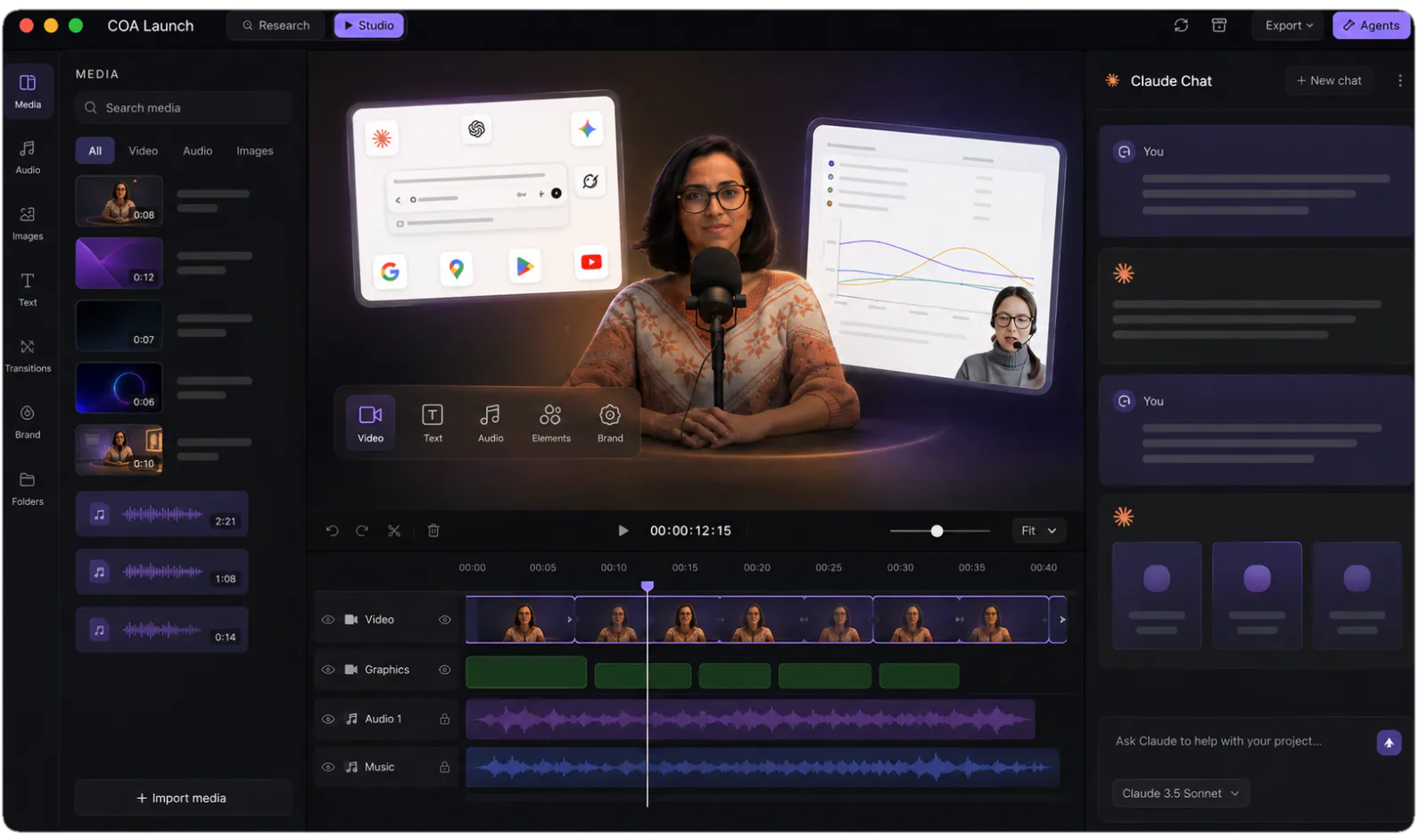
Review on the stage
The scene runs on your GPU in real time. Ask for dawn instead of dusk and every scene relights in front of you.
- 05
Render locally
What you scrubbed is what exports. MP4 renders run on your machine and are never metered.
the math
Three ways to get a 3D product video
| 3D studio | Stock 3D | CoAnimator | |
|---|---|---|---|
| First cut | Weeks | Same day | Same day |
| The look | Photoreal, bespoke | Generic, licensed | Flat-shaded low-poly, yours |
| Camera | Animated by hand | Fixed inside the clip | One eased move per shot, written |
| Narration | Booked separately | Bring your own | Rendered from the script, scenes retimed to it |
| Changing a scene | New quote | Re-licence | Edit the world file, re-render |
| Rendering | Farm time | None | Your GPU, locally, unmetered |
FAQ
How do I make a 3D product video without a 3D artist?
CoAnimator builds 3D product videos through an AI agent: you describe the scenes, for example “a slow orbit around the product at dusk, then push in on the logo”, and the agent writes a WebGL world file with cameras, lighting, props, and narration. The scene plays in real time on your GPU and exports to MP4 locally. No modeling package, rigging, or render farm is involved.
How does an AI agent build a 3D scene?
The agent builds the whole world: meshes, gradient skies, fog, lighting rigs, keyframed camera moves, and rigged characters with named poses, running on the real GPU. A given frame always renders identically in the editor and the export. You direct in plain language, the agent edits the file, and the stage updates as it goes.
What can the camera actually do?
One eased move per shot: a push, a drift, an orbit, or a held frame, with hard cuts between scenes. That restraint is the genre, not a limitation of the engine. The 3D Explainer skill encodes the rest of the camera language too, including low eye-level framing, centred key beats and layered foreground depth, so an agent that has never seen your project still frames it the way the format expects.
Can it animate characters?
Yes. Bring in ready-made rigged GLB characters and play their moves in sync with the film, or have the agent choreograph the motion pose by pose, walks, flips and cartwheels included. The bundled 35-second character demo is a finished example: a wanderer walks a dusk road, pauses, and turns back for her closing lines.
Can I change a 3D video after it’s rendered?
Yes. The world file stays editable, so “make it dawn instead of dusk” or “swap the hero prop” is a one-file edit and a local re-render. Cameras, lighting, and props are all named data, not baked frames, which means seasonal re-skins and localised text variants come from the same project. That is a structural difference from commissioning fixed deliverables.
Is CoAnimator real 3D or pre-rendered stock?
It is real WebGL 3D: Three.js scenes running on your GPU with keyframed cameras, flat-shaded low-poly meshes, and burned-in subtitles, not stock clips with your logo composited on. The 3D Explainer template ships two finished sample projects you can open and read scene by scene.
Should I use Blender or CoAnimator for 3D product videos?
Use Blender when you need photorealism: ray-traced materials, detailed modeling, and cinematic rendering are what it is built for, and CoAnimator does not attempt that. CoAnimator wins when you want stylised low-poly 3D shipped fast, because an agent writes the scene, the GPU plays it live, and there is no render-farm wait. If your product needs to look like a photograph, pick Blender. If it needs a cinematic explainer this week, that is our lane.
What are the outputs good for?
Product explainers, feature intros and concept films, anywhere flat-shaded cinematic 3D reads premium without a 3D artist on staff. Exports are MP4 at 16:9 by default, with cinematic bars and burned-in subtitles as options rather than defaults.
One app. Your agent runs it.
Install CoAnimator, point it at the agent you already pay for, and describe the video. Every project stays editable and renders on your own machine.
