Product demo videos in
minutes, not weeks
Describe it once. Your AI agent builds the demo scene by scene and renders it on your machine. Change anything later by asking.
macOS · Windows · Linux · no credits, no render limits
Make an 80-second demo for Acme. Open on the problem,show the dashboard connecting a server, prove it with abefore/after, close on the URL. Voiceover, ducked music.
- 10 scenes
- 1:21 on the clock
- 10-part voiceover
- 1 render, local
 Antigravity
made with coanimator
Product demo video examples
Every one shipped for a real product, built end to end in CoAnimator.

anatomy of a demo
The shape of a product demo
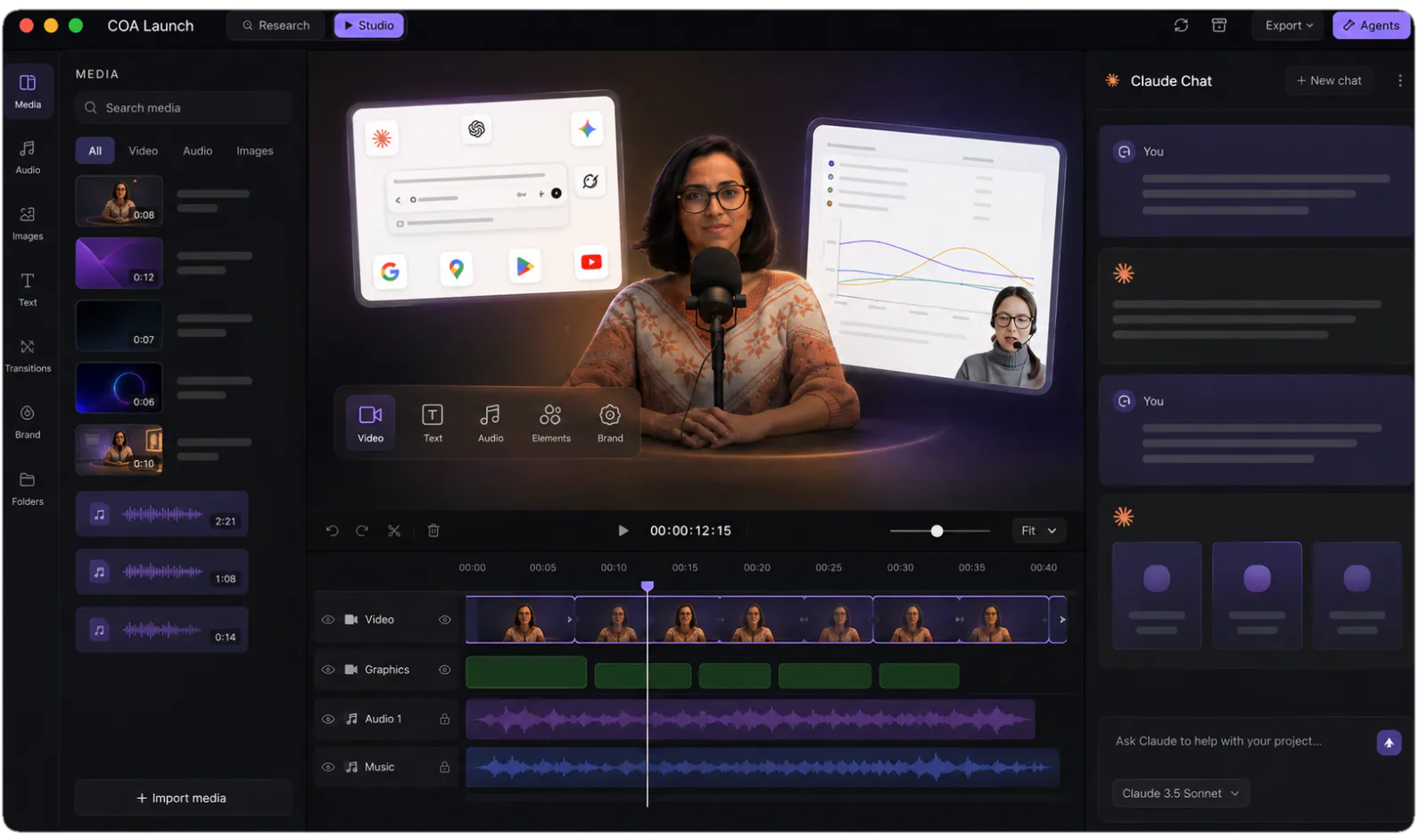
Ten scenes on one clock, with voiceover, sound and music underneath, the way the studio lays it out. The animated scenes are motion graphics, described rather than keyframed.
describe it
Ask for a scene.
Watch it get built.
Your agent edits the project the way an editor would, scene by scene on the timeline, and hot-reloads the stage as it goes. You direct in plain language; nothing is a black box you cannot open.
real footage
Your real screens, with effects on top
Drop in a screen recording and ask for a look by name. Callouts, spotlights, zooms and colour pops land on your actual footage, not a re-creation of it.
the whole soundtrack
Describe the sound,
not just the script
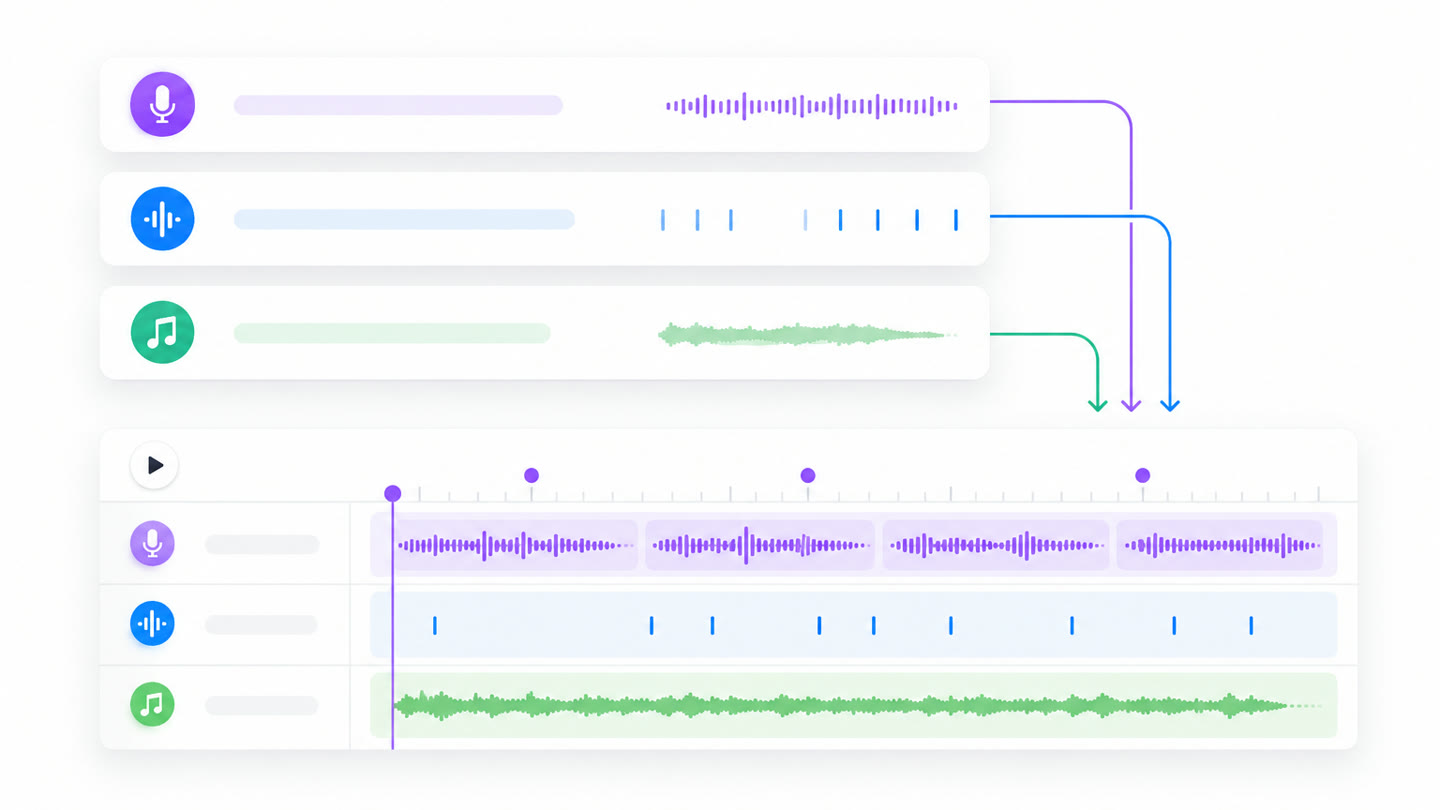
Narration, sound effects and the music bed each come from a line of description, and land on their own track in the timeline rather than in a folder for you to place.
The voiceover renders part by part, so the words and the scenes land together.
one project
Every cut, from the same files
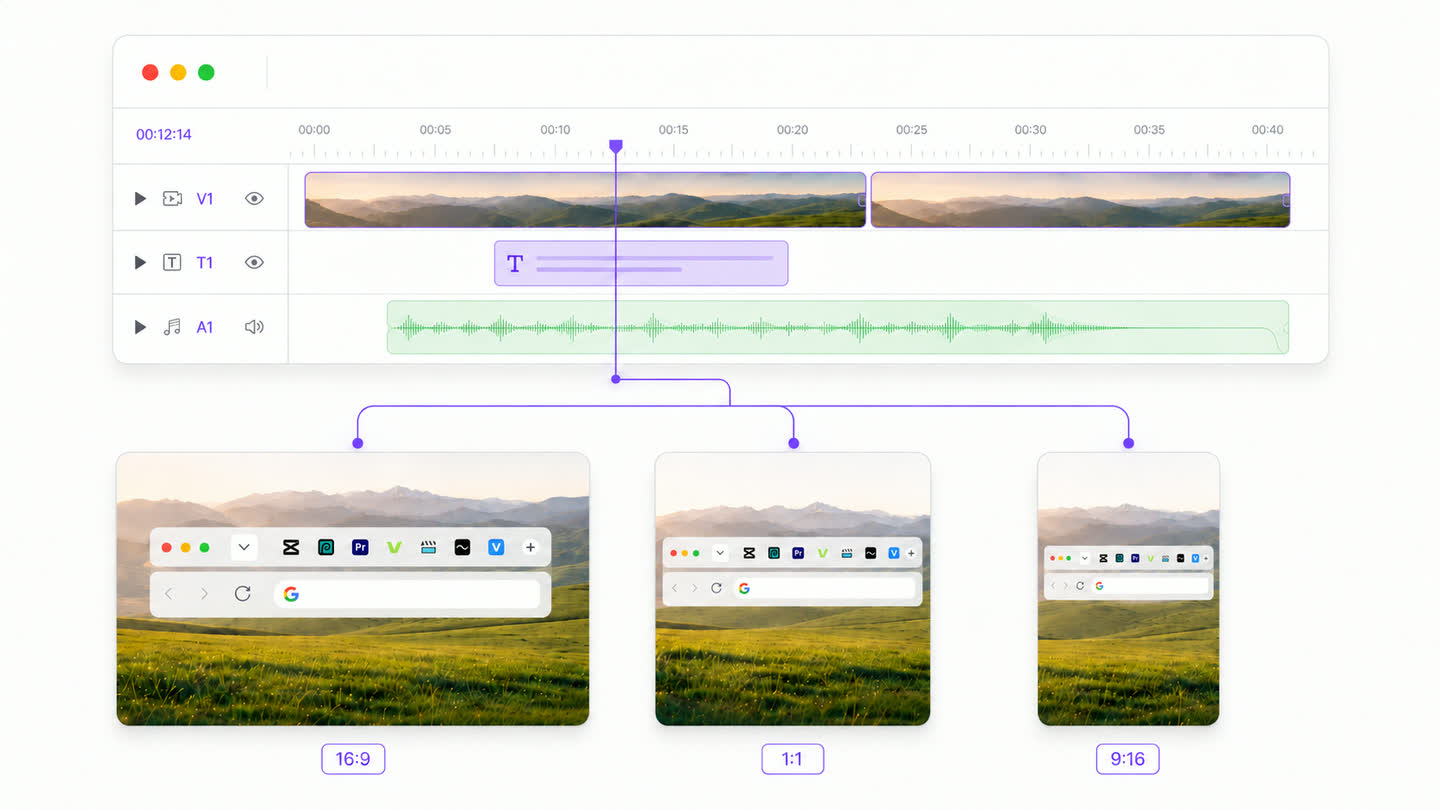
Re-frame the same project to whatever your channels need: 16:9 for the page, 1:1 for the feed, 9:16 for reels. Rendering runs on your machine and is never metered, however many cuts you export.
how it's built
How to make a product demo video in CoAnimator
- 01
Describe the demo
What the product does, the three things it has to prove, roughly how long. The agent turns that into a scene list before it builds anything.
- 02
The agent builds the scenes
Ten scenes on one clock, each authored as editable code: device frames, callouts, zooms and the motion between them.
- 03
Voiceover, part by part
The narration renders one clip per scene and lands against the beat it describes, so the words and the screens move together.
- 04
Steer it on the stage
Ask for a slower cold open or a different screenshot and watch the stage hot-reload. Your recording stays a clip you can swap.
- 05
Render every cut locally
16:9 for the page, 1:1 for the feed, 9:16 for reels, all from the same project. Exports run on your machine and are never metered.
the math
Three ways to get a demo video
| Agency | Screen recorder | CoAnimator | |
|---|---|---|---|
| First cut | 2–4 weeks | Same day | Minutes |
| Motion, callouts, pacing | Designed for you | On you | Built by the agent |
| Voiceover | Booked separately | Your mic, one take | Rendered from the script, re-timed on edit |
| When the UI changes | New invoice | Re-record from zero | Swap the clip, re-render |
| Output | One MP4 | One MP4 | An editable project + every cut you want |
| Per-export cost | Per revision | Free / subscription | None, ever |
FAQ
What’s the best way to make a product demo video without a video team?
The fastest path is an agentic studio: in CoAnimator, an AI agent builds the demo (screen footage, callouts, motion graphics, pacing) from your plain-language brief, and you direct revisions instead of learning an editor. It renders locally to MP4 on macOS, Windows or Linux, with no credits and no cap on how much you render.
How long does a product demo video take?
A first cut in minutes, a finished demo inside an hour for most products, including narration and a couple of revision rounds. Opening the bundled MCP360 sample and swapping in your screens is the quickest route; describing the product from scratch takes a little longer because the agent drafts the beats first.
Can I update a demo video when my product UI changes?
Yes. That’s the point of file-based projects. Swap the changed screen recording or ask the agent to re-do the affected section, and re-render; the rest of the demo is untouched. With the coa CLI you can re-render updated demos from a script.
Can CoAnimator add callouts and motion graphics on top of my real screen recording?
Yes. The Podcast Video Effects template layers animated callouts, spotlights, zooms and colour pops over your actual recording, and the Motion Graphics template can rebuild key moments as pure animated UI. Both ship in-app: the Motion Graphics template comes with finished sample projects to open and pick apart, and the effects template with every look documented and previewed so you can ask for one by name.
Does it do the voiceover, or do I record it?
Either. The built-in voiceover plugin renders AI narration from the script, part by part, and places each line on the timeline. If you would rather record yourself, drop the audio in and the agent re-times the scenes to your delivery.
What formats can I export?
MP4 in any aspect ratio: 16:9 for the website and YouTube, 1:1 and 9:16 cuts for social, all from the same project. Free exports up to 720p with a small “Made with CoAnimator” watermark; the licence unlocks 4K and watermark-free exports. There is no per-export fee on either plan, and no limit on how many you render.
CoAnimator vs screen recorders like Loom or Screen Studio: which for demo videos?
Screen recorders are the right tool for quick, personal walkthroughs, recording yourself once and sharing fast. CoAnimator is for produced demos: an agent designs motion, narration, and pacing around your footage as an editable project you can revise release after release. Many teams use both; the produced launch-page demo is where CoAnimator earns its licence.
Make the whole video before you decide
Every template, every look and unlimited local renders. Nothing is metered and nothing uploads, so the free studio is the studio.
