Hand-drawn explainers, without the hand cramp
The whiteboard genre, rebuilt for agents: stick-figure rigs, pose tracks, draw-on reveals and captions in one editable film file, in four hand-drawn looks on the same timeline.
macOS · Windows · Linux · no credits, no render limits
 Antigravity
made with coanimator
Watch one start to finish
Twenty seconds from the first agent prompt to finished visuals, rendered locally from one editable film file. The same loop drives motion graphics when the story needs kinetic type and charts instead of ink.
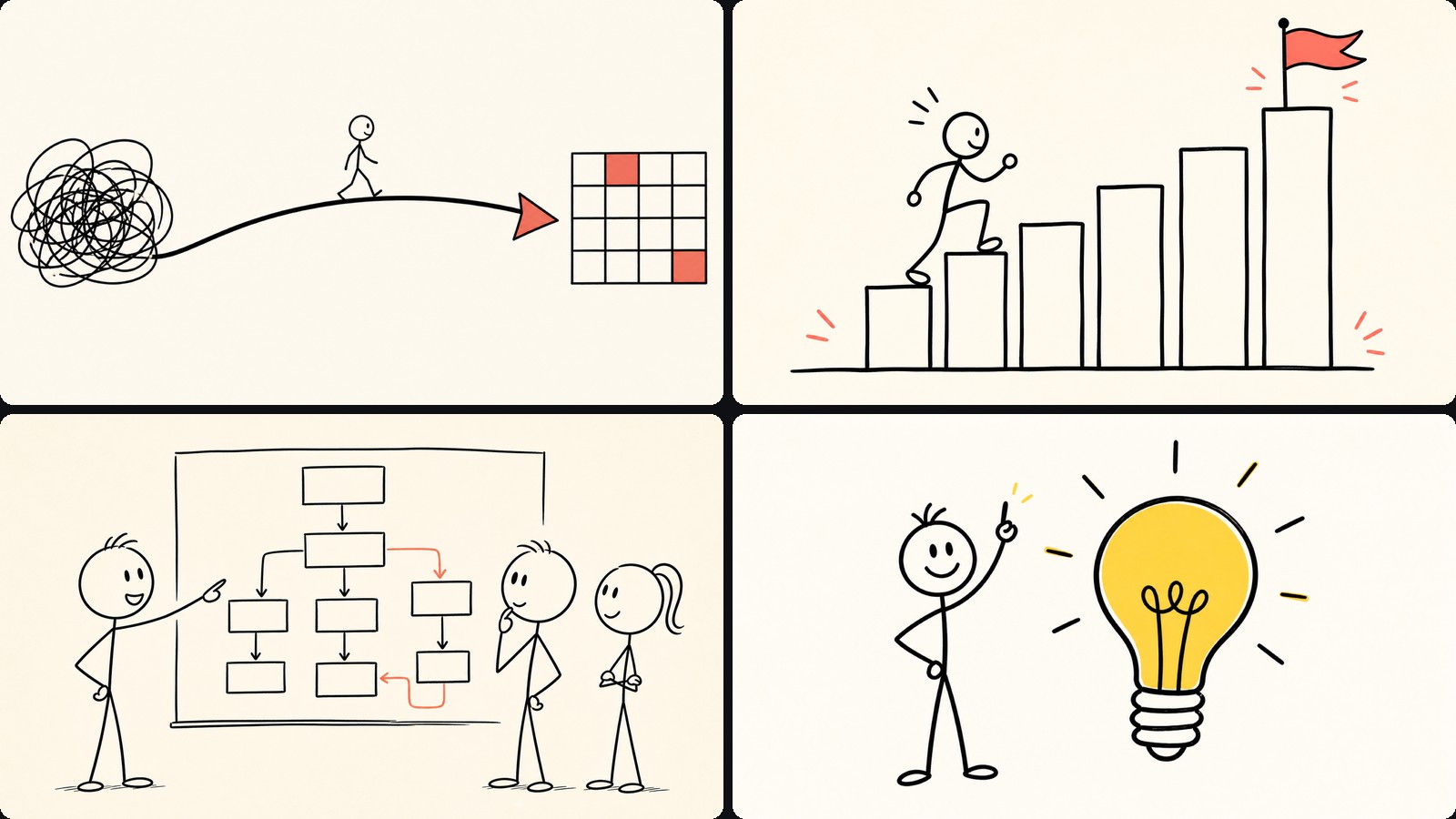
four looks
One film,
four hand-drawn looks
Ink, pencil, filled illustration and watercolor all run off the same pose data, so the look is a setting rather than a redraw.
Draw-on outlines trace themselves around subjects and scenes, over real footage too.
finished film
Every voice,
drawn into the story
Stick-figure rigs, handwritten captions and narration carry one complete idea from the opening line to the final frame.
The whole 39-second film remains one editable project, rendered locally.
how it's built
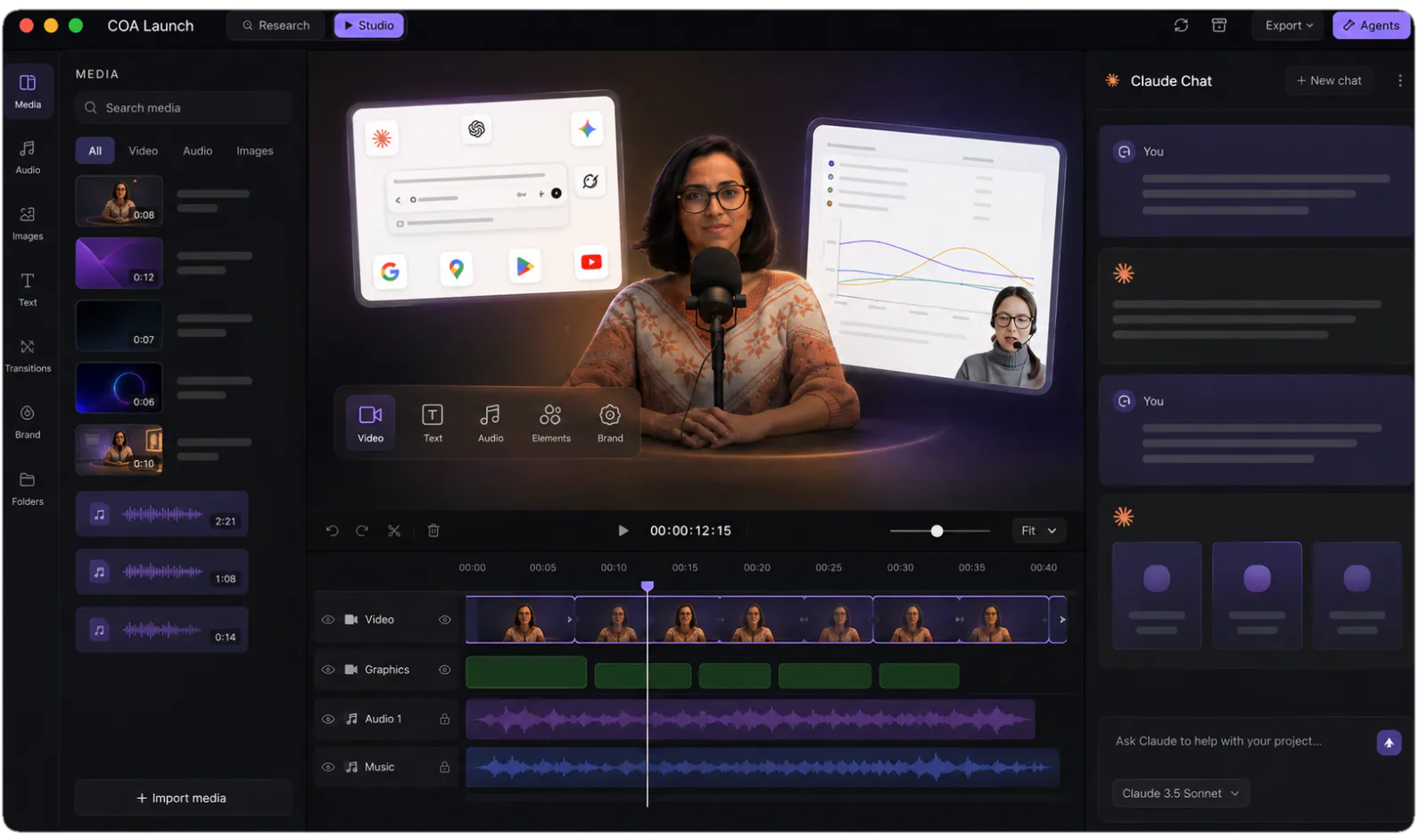
How to make a whiteboard animation in CoAnimator
- 01
Describe the story
The script, the beats that matter, who is in the scene. The agent blocks it out before a line is drawn.
- 02
The agent poses the scene
Stick-figure rigs on pose tracks, draw-on reveals, and the handwriting that lands on each beat, all as editable data.
- 03
Narration lands timed
The built-in voiceover plugin renders the script part by part and places every line against the beat it belongs to.
- 04
Try the other looks
Ink, pencil, filled illustration and watercolor run off the same pose data, so switching the look is a setting rather than a redraw.
- 05
Render locally
MP4 exports run on your machine, in-app or headless via the coa CLI. Never metered, however many you render.
the trade
Three ways to get a drawn explainer
| Stock-asset tools | An illustrator | CoAnimator | |
|---|---|---|---|
| What you start from | Their clip-art library | A brief and a quote | Your script |
| Who draws it | A stock hand drags art | They do | The agent authors it |
| Changing the look | Buy the other pack | New commission | A setting on the same film |
| A revision | Re-assemble the scene | Back in the queue | Ask, then re-render |
| What you own | An MP4 | An MP4 | The project files |
| Per-export cost | Per plan | Per revision | None, ever |
FAQ
What’s the best way to make a whiteboard animation video?
The classic routes are drawing it yourself, hiring an illustrator, or using legacy whiteboard software with stock clip-art hands. CoAnimator adds a fourth: an AI agent authors the film — characters, poses, draw-on strokes, captions, camera cuts — as one editable data file, in your choice of ink, pencil, illustrated, or watercolor looks. You describe the explainer, review it on a live stage, and render the MP4 on your own machine.
How does an AI agent make a hand-drawn explainer?
Strokes in the drawing-animation template draw themselves along their own path, the way a hand would ink them, and characters are stick-figure or illustrated rigs with pose tracks and lip sync. The agent directs all of it — scenes, poses, captions, timing — and every part stays editable. Change a pose or a line of narration and the film re-renders without redrawing anything.
Can I edit a whiteboard video after it’s made?
Yes — the film is data, not baked frames. Ask the agent for a new scene, a different pose, tightened pacing, or an entirely different look, and re-render locally; switching the whole film from ink to watercolor is a setting, not a re-purchase. That keeps training and onboarding explainers current instead of aging out with the first product change.
Does CoAnimator use stock clip-art hands like other whiteboard tools?
No — there’s no library of stock hands dragging clip-art. Draw-on reveals are real strokes that trace themselves around subjects and scenes, and they work over real footage too, so you can sketch an outline around a live product shot. The signature whiteboard read is there; the canned look isn’t.
How is CoAnimator different from traditional whiteboard animation tools?
Traditional whiteboard tools are asset assemblers: you pick from their image library and the software drags a stock hand across the canvas. In CoAnimator an agent authors an original film from your script, with characters and scenes stored as data you can edit. The trade is honest — a stock-asset tool is quicker for a one-off list video, while an authored film is stronger when the explainer has to carry your story and survive revisions.
How does narration stay in sync?
The standard voice loop: TTS parts rendered per beat, placed on the timeline, scenes retimed to the real audio.
Make the whole video before you decide
Every template, every look and unlimited local renders. Nothing is metered and nothing uploads, so the free studio is the studio.
