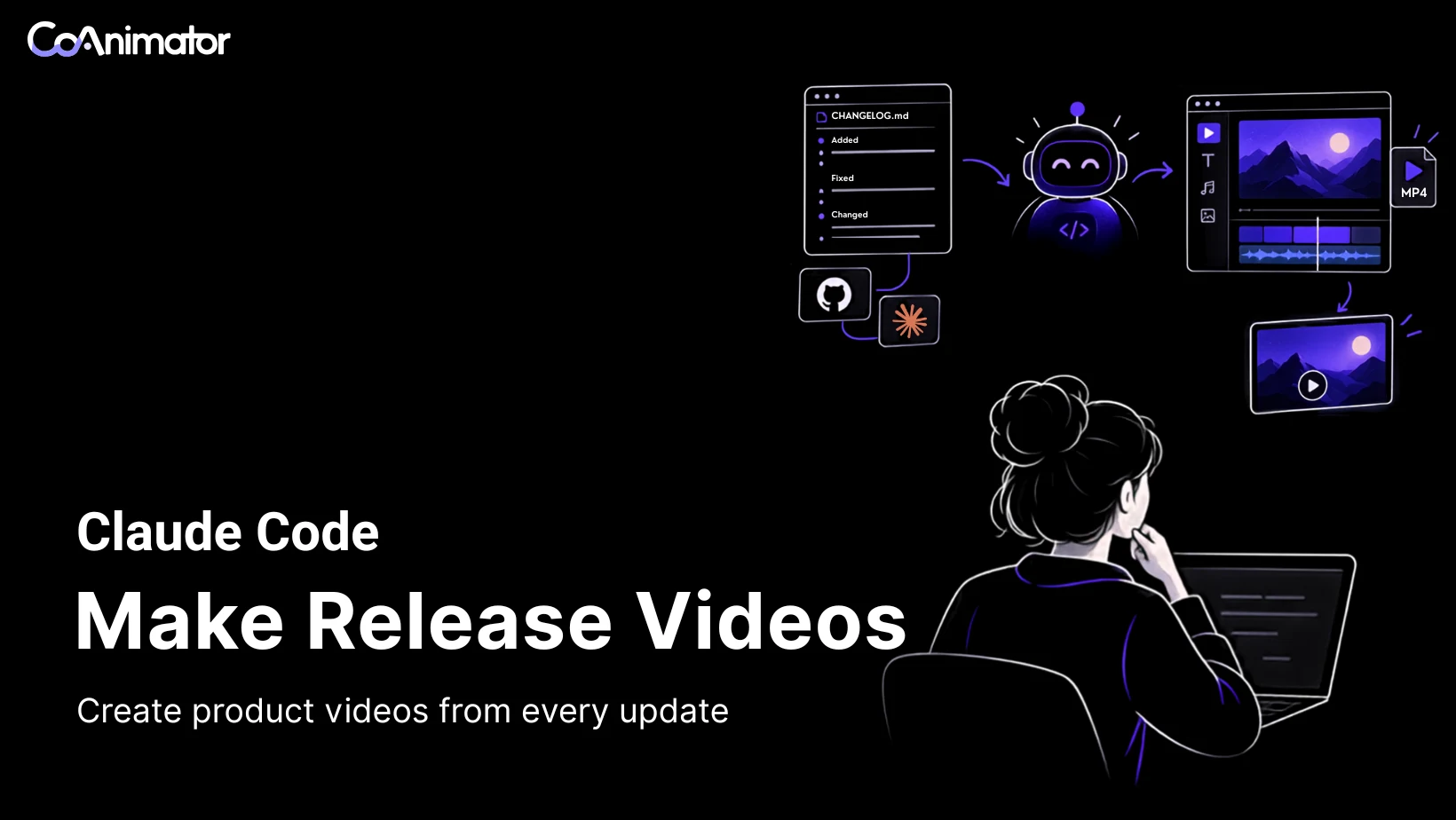
Release notes make a dependable starting point for a product video. The people who built the change wrote them while it was fresh, and every entry sits under a version and a date.
The trouble is who they were written for. A changelog groups lines by type and speaks to the team that shipped the release. A dependency bump sits beside a feature, and a one-line fix sits beside a promise. A video has seconds to give each change, and a second spent on the wrong line is lost to the right one.
Claude Code can sort, reword and build inside CoAnimator once a person supplies the decisions the file leaves out. An invented release, Ledgerly 3.2, carries the example from changelog to brief, plan, render and review. Release notes feed the same loop as making videos with Claude Code, and they come back with every release.
A changelog records changes and a video needs a selection
Take Ledgerly, an invoicing app, with version 3.2 tagged on a Tuesday. Its changelog uses a common layout, a section for unfinished work on top and the dated release under it.
## [Unreleased]

### Added
-  Bulk invoice import (behind a feature flag).

## [3.2.0] - 2026-10-06

### Added
-  Recurring invoices with a pause option.
- CSV export of payments with a date filter.

### Changed
-  Invoice PDFs show the payment link as a button.
- Bump lodash to 4.17.21.

### Fixed
-  Fix deadlock in sync worker pool.
- Fix rounding in multi-currency totals.
The target is a changelog video under 40 seconds for the release page and the announcement email. The file holds seven lines, and five belong on screen. The bulk import has not shipped, and a customer gains nothing from the lodash bump. The deadlock line names a component customers never see, and the rounding line never says how big the fix was, so both need careful wording.
A changelog records what happened. A video chooses what to say about it. The brief carries that choice to Claude Code, once the agent can build and render.
Setup is two installs and one pasted section
Claude Code needs two things from CoAnimator. The coa command renders projects, and the agent skill teaches Claude Code how a project is laid out.

Both installs sit in Settings, then General, then Command line and agent skill. Install coa command sets up the coa command for terminals. Install agent skill, with Claude Code selected, writes its guidance to .claude/skills/coa-cli/ under the user’s home folder. Rendering needs FFmpeg and FFprobe, and the app’s media setup can supply them. Running coa --help in a fresh terminal confirms the command resolves.

Claude Code installs separately through Anthropic’s setup guide and needs a paid Claude plan, a Console account or a supported cloud provider. Inside a CoAnimator project, pick Claude Code CLI in the agent chooser. Chat uses Claude Code’s native streaming interface, and Terminal opens Claude Code’s own terminal interface. A new session loads the skill.
The release section goes into the chat with the brief, so the agent sees exactly the lines the person chose.
With both tools in place, the video depends on what the agent receives. Raw notes seldom arrive in the right shape.
Prepare the section before the agent reads it
The shape of the file decides how much an agent has to guess. Keep a Changelog, created by Olivier Lacan, treats changelogs as documents for humans. Entries sit under Added, Changed, Deprecated, Removed, Fixed or Security, the newest release comes first, and unfinished work waits in a section on top. Each heading hints at how a line should be treated, and the hints are worth carrying into the brief.
| Heading in the file | What it usually signals | Handling in the brief |
|---|---|---|
| Added | A feature customers can use | One scene with a picture |
| Changed | Altered behavior or a dependency | A scene if customers notice, a cut if not |
| Fixed | A repaired fault | A scene whose headline stays inside the entry |
| Deprecated or Removed | Something customers lose or must move off | Say it plainly, and lead with it if it breaks something |
| Security | An exposure | A person decides before it goes on screen |
The top section is the trap. Paste the whole file, and the Ledgerly bulk import can end up on screen as a shipped feature, because its line reads like any other. Paste the dated section alone. It also supplies the version and date a title card will print, both quick to check on the render. A release marked [YANKED] was pulled for a reason, so no video should announce it.
Teams without a CHANGELOG.md can use GitHub’s generated release notes, a list of merged pull requests with contributors. Pull request titles read like engineering shorthand, so expect more rewording. With the GitHub CLI installed, gh release view prints the newest release, since it defaults to the latest when no tag is given.
A minute spent rewriting each entry returns twice. “Fix deadlock in sync worker pool” becomes “Fixed a freeze that could stall the app mid-sync.” The agent can lift that line into a headline, and the reviewer can check the render against it.
A clean, bounded section still leaves decisions no changelog can hold. The brief carries those.
The brief settles what goes where and for how long
A release brief is one paragraph sent with the pasted section. Habits from writing a one-page brief, such as naming the viewer and the length, still apply. A changelog adds five decisions of its own.
Make a CoAnimator project for the Ledgerly 3.2 release using the notes pasted after this brief, and use the screenshot attached to each visible change. Open on the version number. Give each customer-visible change its own scene, with a headline and one plain sentence for someone who sends invoices. Close on the fix for freezing while syncing. Leave out dependency updates and internal refactors. Keep the runtime under 40 seconds, in widescreen, with text that stays legible on a laptop screen. Before building anything, send me a list showing what happens to every line in the notes.

Order and skips come first. A changelog sorts entries by type, and type says nothing about which change earns the closing beat. Opening on the version and closing on the freeze fix gives the video a shape the file lacks. The skip line deals with the lodash bump early. Without it, the bump can arrive as a scene called “Dependencies updated,” a slide no customer asked for.
Length works as a budget. A three-second title card plus five six-second scenes totals 33 seconds, which leaves seven seconds of margin for one extra beat. A sixth feature would shorten every scene or break the cap.
The audience phrase steers wording, moving the recurring invoices headline toward time saved on repeat billing.
Pictures are the fifth decision. The notes hold words alone, so each visible change needs a screenshot or a recording, or the agent builds the scene from text and shapes. Screenshots sent to the connected agent can reach its provider, so crop out customer data first.
The last sentence of the brief is the most useful one. A list covering every line shows what the agent understood before anything is built, when a correction costs a sentence. The video’s claims get decided in that list, so it deserves a slow read.
A ledger shows what happened to every entry
Claude Code’s first answer should be a list and not a build. A plausible reply covers all six lines of the dated section.
Title   Ledgerly 3.2 (3s)
1       Recurring invoices (6s)               <- Recurring invoices with a pause option
2       CSV export (6s)                       <- CSV export of payments with a date filter
3       Payment link button (6s)              <- Invoice PDFs show the payment link as a button
4       Totals round correctly (6s)           <- Fix rounding in multi-currency totals
5       No more freezing while syncing (6s)   <- Fix deadlock in sync worker pool
Cut     Bump lodash to 4.17.21                no customer-visible effect
Total   33s
Treat the block as an illustration of structure, since no product guarantees this exact output. Each scene names its source line, each cut names its reason, and the total appears before any rendering. The deadlock fix earns scene five because customers feel a freeze even when they never see a worker pool.
Every cut carries a reason
A silent omission cannot be reviewed. With a reason beside the lodash bump, a person can overrule the decision. Perhaps a security advisory prompted the bump and the team wants it shown. The disagreement surfaces before any scene exists.
Every headline stays inside its entry
Compare the fourth and fifth headlines with their sources. “Totals round correctly” claims what the rounding entry claims. “No more freezing while syncing” claims far more. The note fixes one deadlock in one worker pool and says nothing about other ways a sync could stall. “A freeze that could occur while syncing is fixed” stays inside the entry. Agents can drift toward the strongest plausible sentence. A standing rule in the brief against headlines stronger than their entries saves repeating the correction.
Once the ledger is approved, the build follows it. In CoAnimator, each scene appears on the stage as it is made, and each change lands before the agent’s next turn. “Keep the payment link scene on screen two seconds longer” costs a sentence. When the stage looks right, a single command writes the file.
Rendering is one command and a six-second check
A render can target a project ID, a folder with a project.json file, or a packaged .coa file. For a project named ledgerly-3-2, the full render is one command.
coa render ledgerly-3-2The command reference for CoAnimator 0.7.2 lists the options this job needs. --quality accepts low, standard, high or max, with standard as the default. --out names the destination MP4, and --timeline picks one cut when a project holds several. --start and --end take seconds on the timeline, with the end excluded. Running coa render ledgerly-3-2 --start 0 --end 6 renders the title card and the start of the first scene, enough to inspect the version, the date and the type size.
Before replacing the destination file, the CLI verifies dimensions, frame count, frame rate, duration and expected audio. A failed or cancelled export leaves any existing file alone, so a bad rerun cannot overwrite the last good render on launch day. Exit code 0 means success and 1 means failure, so a script can stop on a bad render.
A finished file proves the command ran and says nothing about whether the claims on screen are right. Finished videos made in CoAnimator show what the render should reach before the review begins.
A release video holds a few changes and one highlight
CoAnimator’s changelog video page describes a weekly 45-second cut. The merged pull requests and git log since the last tag become a scene list of features, fixes and one highlight. The Ledgerly plan follows that shape, with the freeze fix as the closing beat.
CoAnimator’s demos page lists the launch video for YourGPT’s Copilot SDK v2.5 among its own work. The release carries five features, a scale close to the Ledgerly release.
Loading post from X…
It is a launch video and not a routine changelog episode, and it does not show the brief behind it, so it reveals more about finish than about process. While watching, notice how long each named feature holds, whether the version shows in the first frame and what the last frame asks of the viewer. The same three checks apply to a team’s own first render.
The render gets checked against the ledger
The ledger turns the review from a viewing into an audit, with every on-screen line traced to a row and every row found on screen.
Version and date come first. A title card reading 3.2.0 may sit beside a repository tag of v3.2.1 if a hotfix followed the notes. A date copied from the changelog can trail the release day by one.
Text outside the scenes comes next. Subtitles, closing cards and transitions never passed through the ledger. An agent filling them can reach for stock claims such as “faster than ever.” A feature name with no row behind it came from somewhere other than the notes.
The clock gets its own pass. Suppose the first render lands at 46 seconds against the 40-second cap. Trimming a second from every scene shortens reading time in all five. A better instruction asks the agent to drop the weakest scene or merge the two Fixed entries, then report the new total before rendering again.
The opening frame needs a look too. Changelog pages and email clients can use the first frame as the thumbnail, so the product name and version belong there in readable type. The six-second partial render shows cheaply whether a laptop-sized headline survives a phone.
Each problem goes back as one sentence, such as “Rewrite each benefit for someone who has never seen the code” or the correct date stated outright.
One reviewed render settles one release, and the next release rarely has the same shape. The brief has to change with it.
Three release shapes change the brief
The Ledgerly brief suits a routine release with a handful of visible changes. Patches, breaking changes and security entries each pull it in another direction.
A patch release needs fewer scenes
A patch with two fixes needs two or three scenes under a lower cap. Stretching it to feature-release length spends a viewer’s time on a change with little to show.
A breaking change leads the video
Keep a Changelog wants breaking changes to be unmistakable, and the video can honor that. A brief for a major version opens on the break and says plainly what readers must do, while the written notes keep the full migration steps.
A security entry needs a decision first
Vulnerabilities get their own Security heading in Keep a Changelog. An entry there may describe an exposure some customers have not yet patched, so a person decides whether it belongs on screen. The safe default lists Security entries as cuts in the brief and lets a person restore one with approved wording.
Brief, ledger, build, render and review hold across all three shapes, and the opening instructions change. The loop also repeats, which is where the workflow begins to pay for itself.
The second release edits the first
The first video builds a project, and each later release edits it. Type, color, motion, intro and outro stay put, so the next brief covers the new section and little else.
CoAnimator’s own weekly setup works that way, with one template project carrying every episode. A cron entry, CI job or release workflow lets an agent read what merged, update the project and run coa render. The page’s example runs from a 17:00 trigger to a 17:05 delivery. The pipeline stops at render and notify, and publishing stays the one human click.
We agree with that default, and the Ledgerly example shows why. An agent’s first headline can outrun its entry, and an unattended run has nobody to catch the gap before a customer sees it. Automation moves the review to the end of the loop and leaves it standing.
Each runner needs its own install, since CoAnimator 0.7.2 has no hosted rendering workers. Repetition cheapens the workflow and exposes its limits, because a weak input weakens every episode built on it.
Where the workflow stops helping
Video inherits whatever the notes leave out. Vague pull request titles yield a vague script, and a change nobody logged never reaches the screen. Keep a Changelog cautions that a partial record can be as hazardous as none, and video repeats that hazard with more polish.
The MP4 is encoded locally, though the agent reading the notes may run elsewhere. The quickstart notes that files or frames sent to an AI provider can leave the machine, so unreleased entries travel with everything else pasted into Claude Code. Remove embargoed entries before pasting.
Plain automation or a person suits some releases better. A one-line patch needs a sentence in the announcement email and no video. A marketer with a distinctive house cut may finish a one-off release by hand. The written changelog also remains the document people search, link and cite, and the video steers viewers toward it.
The limits show where judgment stays with a person, and a few practical questions follow.
Questions before the first run
Three questions remain for anyone about to try the workflow, about a mistake found after publishing, who signs off and which agent to use.
What if the changelog has a mistake after the video ships?
Correct the changelog first, then edit the affected scene and render again, since the project is plain files. Anything already emailed or posted has to be replaced by hand.
Who should approve a release video before it goes out?
The person who owns the release notes, since the video repeats their claims in a louder form. A second reader from support or sales helps catch wording a customer would misread.
Does this work with agents other than Claude Code?
Yes, because the brief and the ledger are plain written instructions, and CoAnimator’s agent skill also installs for Codex CLI. Results still differ by agent, so judge each one by the ledger it returns.
The answers settle the practical doubts and leave a larger question, which is where the effort goes once drafting gets cheap.
Better notes make the next video cheaper
Drafting is getting cheaper for text and video alike, and the scarce step is moving upstream to the moment a change is described. One customer-facing sentence, written in the pull request while the author remembers why the change exists, can feed the changelog, the announcement email and the video.
The next tagged release makes a practical test. Add a customer sentence to each entry. Hand the dated section to Claude Code with the brief and the ledger request, and run the whole loop in the desktop app.