Codex CLI
Drive CoAnimator with OpenAI's Codex, using your ChatGPT plan or an API key.
Codex is OpenAI's coding agent. CoAnimator talks to it through the codex-acp
adapter, which reuses the sign-in from your codex CLI in ~/.codex: your
ChatGPT plan or an API key, whichever that CLI already uses.
Along with Claude CLI, this is the combination CoAnimator is tuned for.
Set it up
Sign in
codex loginThis is the only sign-in. CoAnimator reads the result rather than asking for credentials again.
Pick it in the agent picker
Choose Codex in an agent tab. The adapter that bridges Codex to CoAnimator is separate from the CLI: the app provisions it for you, which needs Node and npm on the machine.
If Node is missing, install it from Settings → Media tools. ChatGPT and Grok in Chat need no Node or vendor CLI. Sign in with ChatGPT or Grok. Claude setup can download the official Claude Code binary for you without Node, or connect through a separately billed Anthropic API key.
Ask for a video
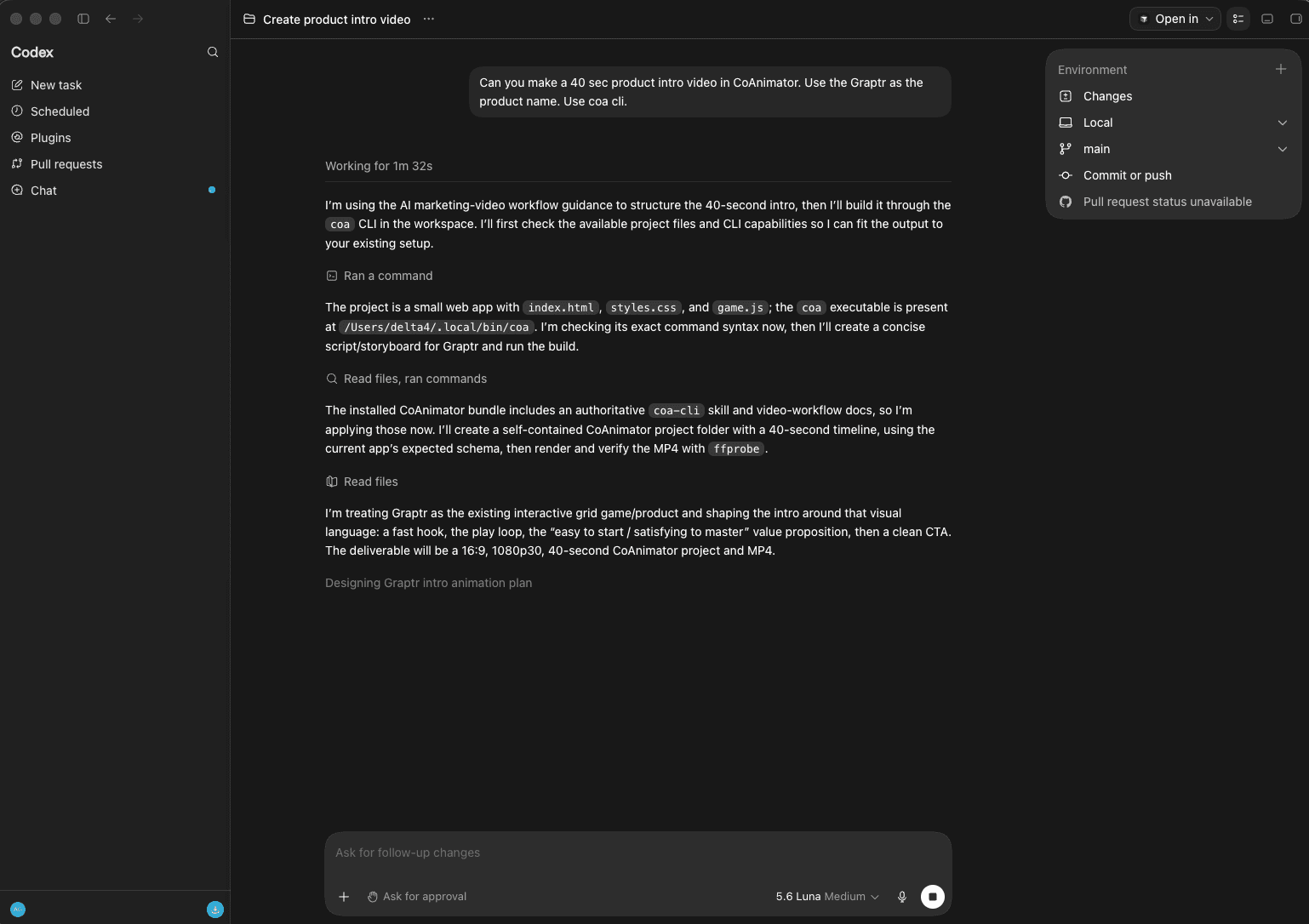
Point it at a project or ask it to create one. It picks up the coa-cli skill
and video-workflow docs the app installs, plans the piece, then builds and
renders it through the coa CLI, showing tool activity and approvals
requested by the session.
Install the coa skill for Codex CLI from
Settings → General → Command line & agent skill. Start a new session after
installation or an app update.