ChatGPT
Drive CoAnimator with your ChatGPT subscription. Nothing to install.
Sign in with ChatGPT and OpenAI's model drives your project from CoAnimator's chat, on the plan you already pay for. There is no CLI to install and no API key to paste.
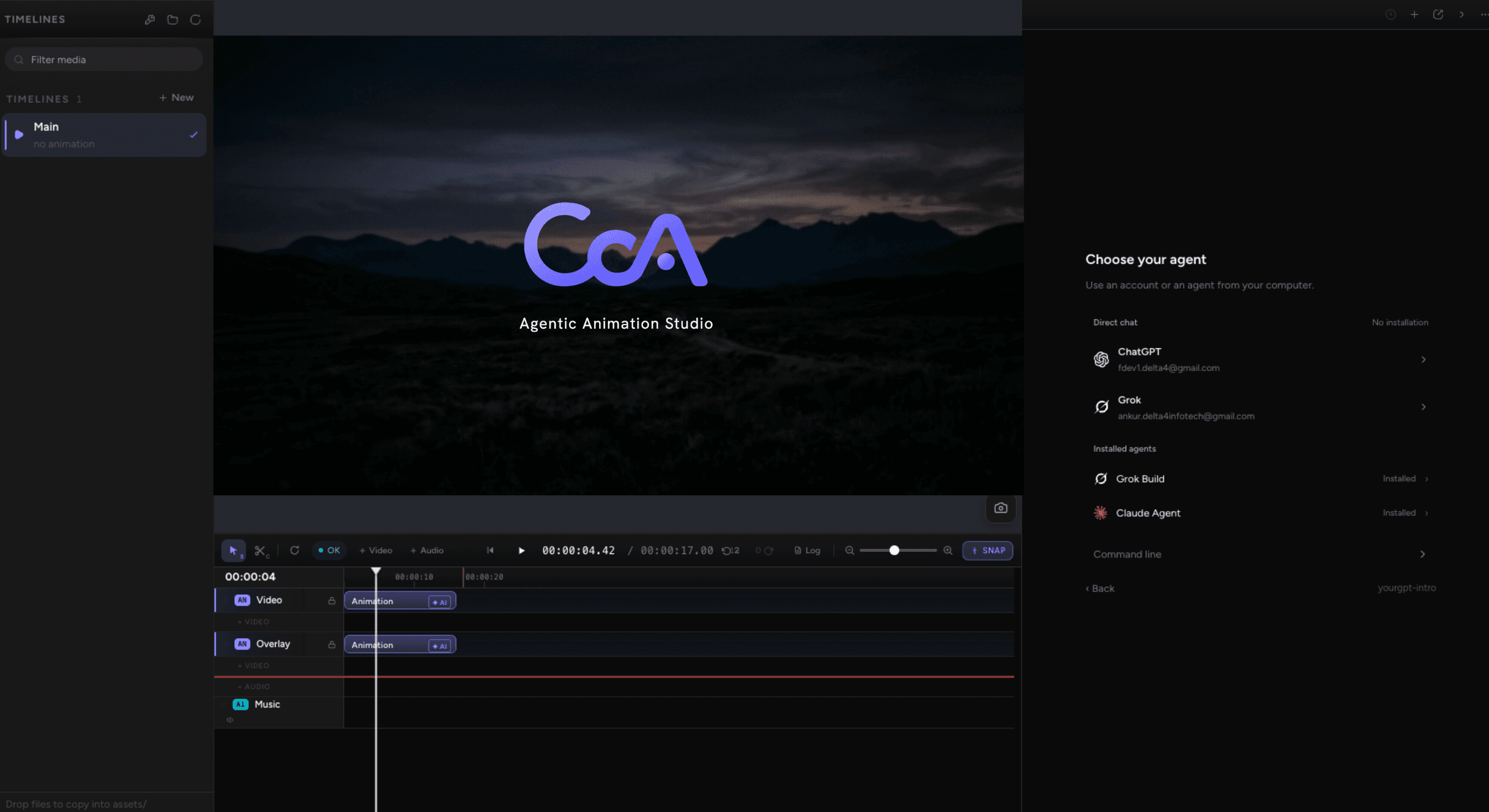
Set it up
Sign in with ChatGPT
Open New chat, pick Chat, and choose ChatGPT. CoAnimator opens OpenAI's sign-in in your browser and stores the grant outside your chat history.
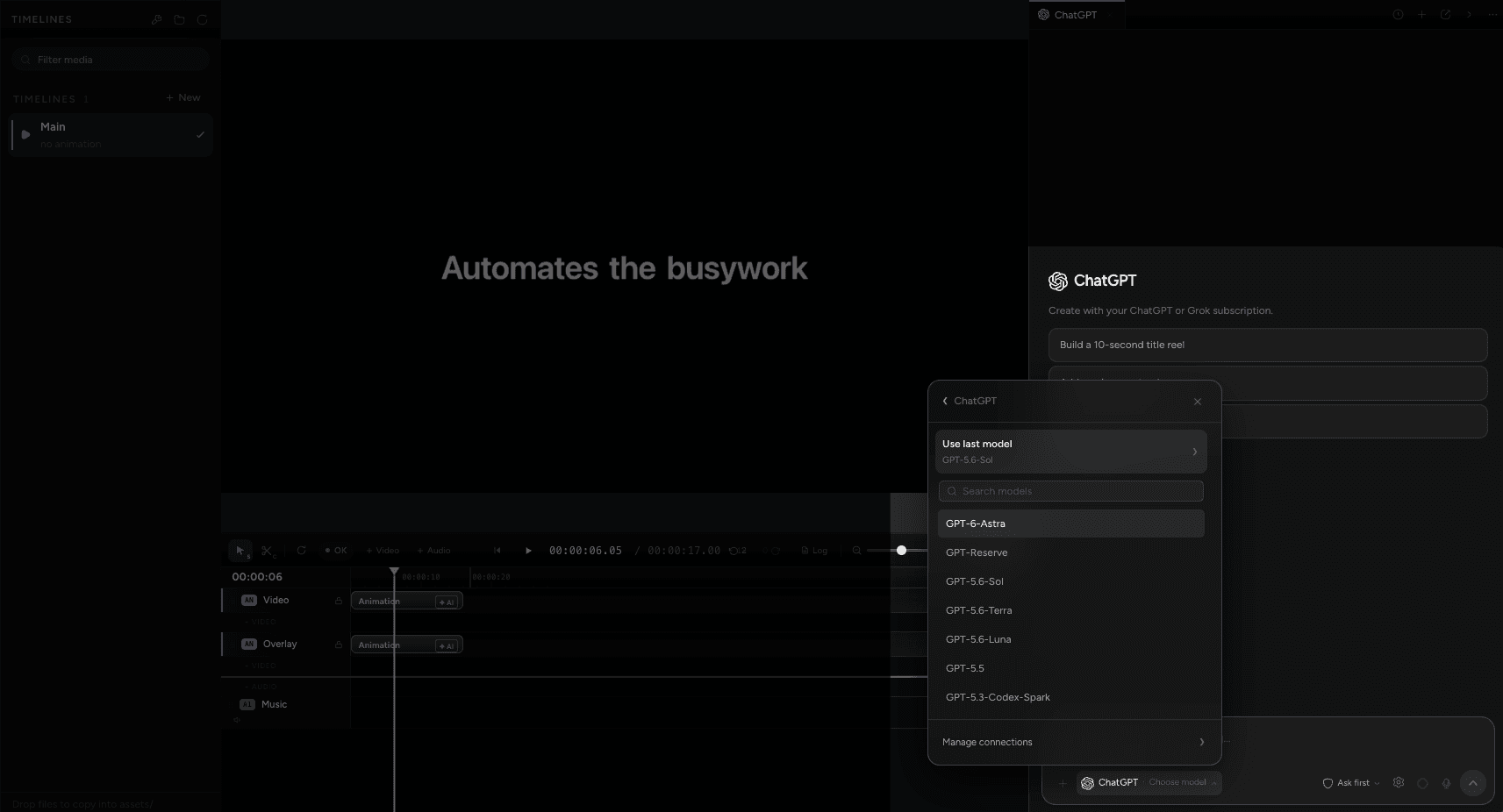
Pick a model
CoAnimator asks your account which models it can reach, so the list reflects your plan rather than a fixed catalogue. Search it, or take Use last model to carry on with the one from your previous session.
Ask for a video
Ask in plain language. The agent calls CoAnimator's own tools (project_info,
assets_list and the rest) with prompts according to the selected permission
mode. Read-only actions and remembered grants do not necessarily ask again.
What you get
ChatGPT in Chat uses CoAnimator's built-in agent, with no vendor CLI or Node installation required. The model doing the thinking is OpenAI's, running on your account; what CoAnimator provides is the chat, the project tools it can call, and the permission prompts in front of them.
In a folder with a project.json, CoAnimator's own MCP server is offered
automatically, so the agent gets project-aware tools without any setup. It can
also read and edit project files, run shell commands, and render through the
coa CLI.
You get the vendor's model, not their agent product, so none of its own skills, plugins, hooks, or settings come with it. For Codex's native behaviour, use the Codex CLI.
This setup uses your subscription connection. For Claude, choose an installed or app-managed Claude Code connection, or use an Anthropic API key with separate billing. See Claude setup. OpenAI, Google and xAI API-key setup routes are not offered here.