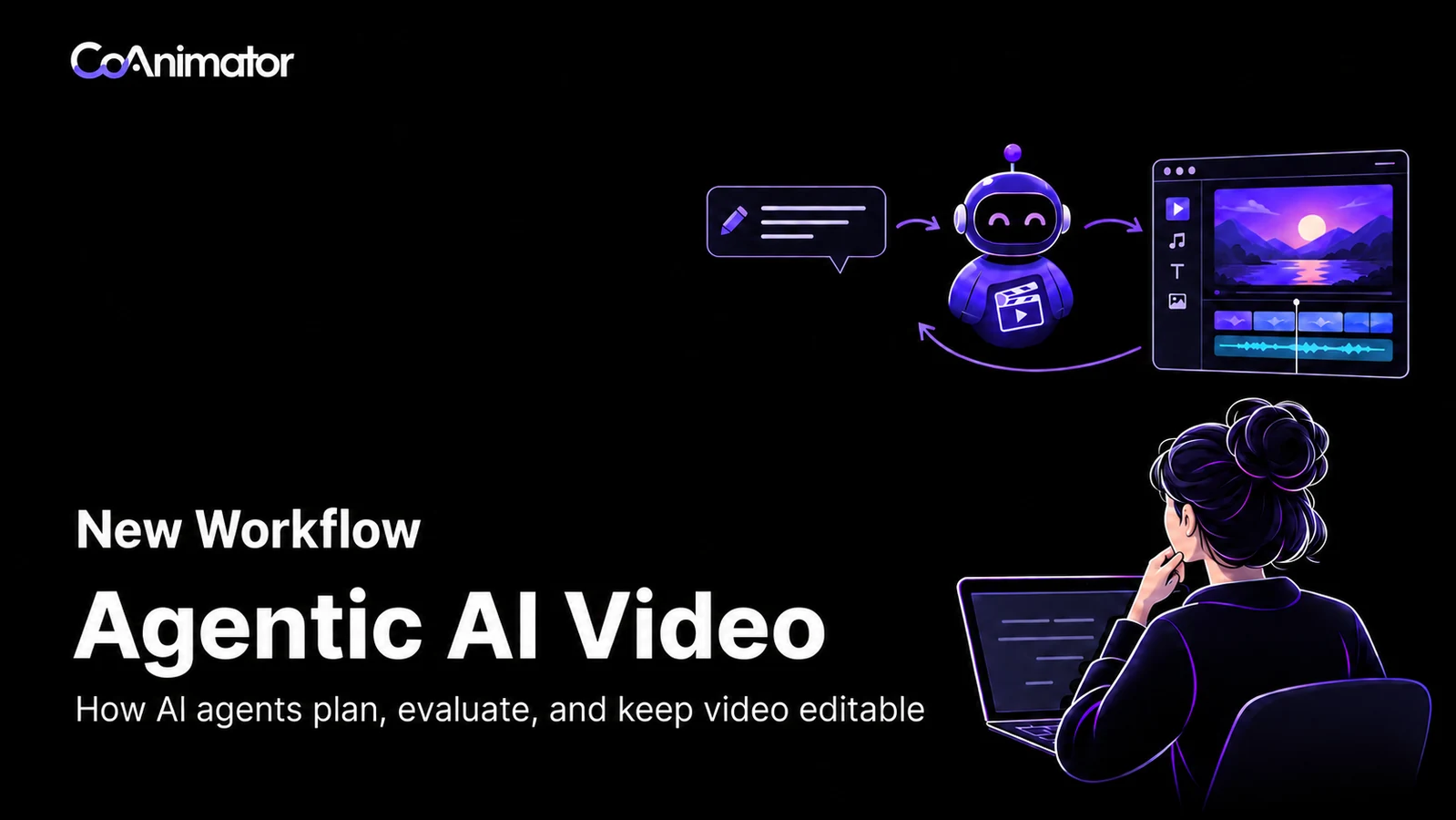
Imagine asking for a 45-second product tutorial using a screen recording, your brand assets, and a short explanation of a new feature. The work involves choosing what to show, arranging scenes, adding narration, checking timing, and making revisions. An agentic system can coordinate those steps instead of requiring you to direct each action separately.
Those steps depend on one another. The narration needs to describe the action on screen. A label needs to remain visible long enough to read. If you shorten a scene, its captions and audio may need to move too. Creating the video means making these decisions together, then watching the result to see whether they work.
An agent can help manage that process, using the tools available to it and the direction you provide. You might start with a blank project, a folder of recordings, or a partly finished edit. The useful question is how well the system turns that material into a clear video, and how easily you can change it after the first draft.
What agentic means in video creation
A video model performs a particular task, such as creating footage from a description. An agent manages work toward a goal. It decides which available action to take, examines the result, and continues from there.
Suppose you ask the agent to explain the reporting feature to a first-time user. That leaves several decisions open. Should the video begin with the report or the settings page? How much of the recording is useful? Does the viewer need narration, an on-screen label, or both?
An agent can translate that objective into actions. It might inspect the recording, propose a sequence, build a draft, and discover that one screen needs more time. The next edit depends on that discovery.
A fixed automation could follow the same sequence of tools every time: insert footage, add a title, export. It might be exactly right for a repeatable task. Agency becomes useful when the system needs to choose a different action because the material or the result demands it. Anthropic makes this architectural distinction in its explanation of predefined workflows and dynamically directed agents.
The same agentic loop can run with human review checkpoints or continue autonomously after the initial brief. The difference is who decides whether the work is ready to move forward.
In a human-in-the-loop workflow, you review the work at agreed points. You might approve the scene plan before production, watch the first cut, or request a different opening. The agent handles the actions between those checkpoints and uses your feedback to continue. For the tutorial, you could confirm that the demonstration is accurate before the agent finishes the narration and captions.
In a fully autonomous workflow, the agent plans, creates, evaluates, and revises without waiting for a person to approve each stage. The initial brief still needs to define the outcome, the tools it may use, and when it should stop. For example, the agent might produce a draft, check it against specified requirements, revise within a set attempt limit, and export. If it cannot meet those requirements, it should report the unresolved issue rather than keep trying indefinitely.
Both are agentic workflows. Human feedback can guide the next action, or the agent can choose it from its own checks. A team can also combine them: approve the plan once, then let the agent complete the production loop. Running autonomously does not guarantee that the video is correct; it means the intermediate decisions are delegated. Whether a particular tool supports either mode depends on its controls and review capabilities.
There is also a practical boundary. An agent that can change project files but cannot inspect a preview has limited evidence about the picture it produced. One that can examine frames but cannot hear the audio has a different blind spot. To understand how reliably an agent can review its work, look at what it can actually inspect.

AI video generation vs. agentic video generation and editing
The word generator can make this category sound narrower than it is. A finished video may contain a recorded demonstration, animated text, a photograph, synthetic narration, and one generated shot. Creating it requires decisions across all those elements.
Three workflow descriptions help explain the differences. These are practical distinctions, rather than a formal industry classification.
| Workflow | What happens | What to examine |
|---|---|---|
| AI video generation | A model creates or transforms footage from prompts or references. | The quality of the footage and the controls available for changing it. |
| Agentic video generation | An agent coordinates tasks such as planning shots, generating candidates, reviewing them, and assembling a sequence. | How it chooses the next action and responds when a result misses the brief. |
| Agentic video editing | An agent creates or modifies an editable project, including building one from scratch. | Which parts of the video remain separately accessible for revision. |
A single system can support both agentic generation and agentic editing. It might generate a background, place a recorded product demonstration over it, animate a callout, and change the timing after reviewing the result.
Conventional generation tools can also offer revision controls. Google’s video documentation describes capabilities including conversational editing and video extension. It would be misleading to say that every generated clip must be recreated from the beginning whenever something changes.
The more revealing question is what the system knows about the work. Does it only have the finished frames? Does it retain the prompts and selected shots? Can it reach the title, recording, narration, and timing as separate parts of a project?
Those differences determine how much work it takes to change the ending while preserving the rest of the video.
How an agent turns a brief into a video
Say you want to make a 45-second tutorial that shows someone how to schedule a weekly report. The available material is a screen recording, a logo, and a few notes from the product team. The viewer has never used the feature.
The brief might read:
Show a new user how to schedule a weekly report. Use the supplied recording. Explain which settings they need to choose, show the confirmation, and keep the finished video under 45 seconds. Leave the interface readable on a laptop screen.
This gives the agent an outcome and constraints. It still leaves room to make production decisions. The sequence below describes how a capable system could handle the work; it is not a claim that every product performs each step automatically.
First find a good story
Pixar filmmaker Andrew Stanton describes a central storytelling principle in three words:
“Make me care.”
Andrew Stanton, TED2012
For a product tutorial, that means giving the viewer a reason to follow the demonstration. In our example, the story could begin with a report arriving on schedule, then show how to set that up. The agent has a purpose to organize the footage around: help the viewer reach the same result.
The recording may include a pause while the presenter finds the menu, an accidental click, and a few seconds after the task is complete. Keeping the entire recording would preserve the session but weaken the explanation.
The agent needs to identify the meaningful actions: open scheduling, choose the frequency, select the recipients, and confirm. It also needs to notice what the notes leave unclear. Perhaps the recording shows a monthly report while the brief asks for a weekly one. That conflict should be resolved before narration is written around it.
A scene plan makes these decisions visible. The opening could show the completed schedule so the viewer understands the destination. The middle could demonstrate the settings. The ending could return to the confirmation screen.
This is a reason to review the plan early. If the team actually wants to explain why scheduled reports are useful, a settings tutorial is the wrong video, however carefully it is edited.
Build around what the viewer needs to see
Once the sequence is agreed, the agent can arrange the footage and supporting elements. A crop can make the frequency selector readable. A short label can explain the recipients field. Narration can supply context without reading every word already on screen.
The choice of media matters. A real recording is evidence of how the product behaves. An animated diagram might explain where the report goes. Generated footage could establish a setting in a different kind of video, but it adds little to a tutorial that needs to show an exact click.
The agent should choose tools according to the job. If a title is ordinary text, it can be created as a text layer. If a diagram needs motion, its elements can be animated. There is no requirement to ask a video-generation model to invent every frame.
Audio introduces another dependency. A sentence that looks short on the page may take longer to speak than the scene allows. The agent can adjust the wording or extend the picture. Speeding up the voice to force a fit may make the tutorial harder to follow, even though the duration requirement is satisfied.
Watch the result before deciding it is finished
The first preview puts those decisions together. This is where errors that were invisible in the script become obvious.
Suppose the narration explains how to choose recipients while the cursor is still opening the frequency menu. Both pieces are individually correct. Their relationship is wrong. The fix may be to move the sentence, hold the screen, or remove an unnecessary action between them.
Review therefore has several layers. Project checks can find missing assets and confirm duration. Visual checks can reveal cropped controls or overlapping captions. Listening can expose a cut-off word or music that obscures speech. Watching the sequence can reveal that the explanation assumes knowledge a beginner does not have.
These checks require different evidence. A render completing successfully proves that a file was produced. A single screenshot cannot establish that the narration stays in sync throughout the video.
Research systems make this review stage explicit. AniMaker, for example, divides animated storytelling among agents responsible for direction, clip generation, review, and post-production. It is a research example of coordinating these responsibilities, rather than evidence that every commercial tool has solved them.
Revise the cause of the problem
Now suppose the tutorial runs to 49 seconds. Cutting four seconds from the last scene would meet the duration target, but it might remove the confirmation the viewer needs.
The agent should look for time that contributes less: an opening title held too long, a redundant sentence, or a pause in the recording. This requires preserving the purpose of the video while changing its construction.
After the edit, the affected sequence needs another review. Shortening a sentence changes its audio length. Moving a scene changes when a caption appears. The agent should follow those dependencies rather than treating the requested edit as an isolated operation.
That feedback loop is the central mechanism: make a decision, produce something observable, inspect it, and use the finding to guide the next decision.
Why the editable project matters
The tutorial is approved. Later, the team asks for a version with a different closing instruction. How much work does that create?
The answer depends on what survived the export. A finished video contains picture and sound, but it does not necessarily retain the separate title, narration segment, or animation settings that produced them. The project can preserve those parts and their relationships.
If the closing instruction is an independent text element, the agent can replace it and check the layout. If it is baked into a recording, the change may need a new recording or an overlay. If it is embedded in generated footage, the system may need a supported transformation or another generation attempt.
An editable project gives the agent specific things to change. The request becomes easier to resolve when the closing instruction refers to an identifiable element rather than a region of flattened pixels.

But editability is not an all-or-nothing property. A project containing a single imported MP4 is editable in the sense that the clip can be trimmed or moved. It may offer no direct control over the words, objects, or camera motion inside that clip.
For recurring work, the useful question is whether the elements you expect to change remain separate. A tutorial benefits from accessible recordings, captions, and narration. An animated product film may need control over objects, lighting, and camera paths. A localized version needs text and speech that can be replaced without rebuilding every scene.
The agent also needs context beyond the timeline. It should know which version was approved, why a scene was kept, and which requirements must survive the next edit. Otherwise, it can technically modify the project while undoing decisions the team already made.
The project stores how the video is built. The brief and review notes explain why it was built that way. Keeping both makes it easier to continue after a pause or hand the work to someone else.
Project structure cannot make revisions consequence-free. Longer translated text may need a different layout. A new voiceover may need different timing. The benefit is that these consequences can be addressed within the existing work.
What this looks like in CoAnimator
CoAnimator is built around agents working on video projects. Its developer documentation describes files that coding agents can read and modify, an editor that updates as those files change, and rendering through the app or command line. Projects can also be kept in version control.
That arrangement gives an agent access to the material it is changing and gives the person directing it a place to review the composition. The agent may author a new sequence or continue from existing work. The project remains available for subsequent edits.
The distinction between the agent and the studio is useful. The agent interprets instructions and chooses actions. CoAnimator supplies the editing and rendering environment. The quality of the collaboration depends on the brief, the connected agent, and the evidence available during review.
The official introduction below shows how CoAnimator presents this working relationship.
The examples extend beyond screen recordings. In this post from Rege, he shares CoAnimator work involving animation, a timeline, sound effects, and ambient audio. These are several parts of a composition that have to fit together in time.
Loading Rege’s post…
A finished example helps you judge the result, although it does not reveal every prompt, correction, or production decision behind it. For evaluating your own workflow, the useful follow-up is to try a comparable revision on your material.
CoAnimator’s demo collection also includes a narrated MCP360 product video and edits built around real footage. These provide concrete examples of different source material, rather than requiring the reader to imagine that AI video always means synthetic footage.
When agentic video creation is useful
The tutorial example is deliberately small. Its difficulty comes from coordinating decisions, which is also what makes other video tasks suitable for an agent.
Consider a product launch film. The team has screenshots, three features, and a brief asking for excitement. The hard part is deciding what the viewer should understand first and how the features support that message. An agent can help build and revise the sequence, but adding motion to every screenshot will not resolve a weak argument. Someone must still decide which promise the product can actually support.
An explainer creates a different problem. A spoken idea may need to become a diagram, with each part appearing when it becomes relevant. If the explanation changes, the timing and visual relationships change too. Keeping the diagram, narration, and animation accessible in one project makes that revision easier to coordinate.
Existing footage introduces editorial judgment. A short excerpt from an interview may sound decisive because the qualification was cut away. An agent selecting clips should preserve enough context for the speaker’s meaning to survive. A transcript can help locate passages; watching and listening to the selected sequence remains necessary.
Format changes are another example. Turning a widescreen tutorial into a vertical video requires deciding what the smaller frame should show. A simple crop may remove the menu being explained. A useful adaptation may require reframing the recording, moving labels, and simplifying what appears at once.
These tasks share a reason to use an agent: the work involves related choices that change as the video develops. A fixed title replacement in an otherwise identical template may be handled more predictably by ordinary automation. A skilled editor may also be quicker when the work calls for a very particular judgment that takes longer to explain than to execute.
What an agentic video generator still needs help with
An agent can produce a convincing explanation of an edit it failed to make. It can also satisfy a measurable requirement while missing the reason for that requirement. Our tutorial could be exactly 45 seconds and still move too quickly for a beginner.
Evaluation should therefore distinguish what can be measured from what must be judged. File dimensions, missing media, and duration are relatively concrete. Whether a joke lands or an explanation makes sense depends on context. Asking the same system that created the video to approve it does not remove that uncertainty.
There is a similar gap between continuity within a shot and continuity across a sequence. Generated clips may each look plausible while disagreeing about an object, character, or setting. Reviewing selected frames can help, but it may miss a brief change during motion. The review method needs to match the kind of error you are trying to catch.
Errors also travel. If the agent misunderstands what a feature does, that misunderstanding can enter the script, narration, titles, and closing message. Fixing the most visible sentence will leave the rest. This is why checking the interpretation before detailed production often saves more work than polishing a mistaken first draft.
Repeated attempts have a cost. Depending on the setup, that can include model calls, generated assets, voice synthesis, render time, and a person reviewing each version. A system needs a reason to retry and a point at which it stops. An open-ended request to keep improving the video gives it neither.
Finally, local rendering describes where the export is made. It does not establish where a connected agent or external generation service processes information. When source material must stay within a particular environment, examine the services involved in the whole workflow.
How to judge a tool before relying on it
Use a small project you understand well. Supply the actual assets, explain the audience, and identify one or two things that must be correct. After the first draft, ask for a change that crosses more than one part of the composition:
Replace the second scene with this recording. Keep the opening and closing as approved. Adjust the narration to match, and keep the total duration under 45 seconds.
That request tests scope, source selection, timing, and preservation. Watch the result rather than relying on the agent’s description. Did it use the right recording? Does the narration describe the visible action? Did unrelated scenes change? Can you reopen the project and understand what happened?
Also notice the review burden. If you must explain every intermediate click, the system may be providing less help than the interface suggests. If it makes broad changes without showing you what changed, you may spend the saved editing time checking for surprises.
For teams considering a custom pipeline, this same trial reveals what needs engineering. You may need a specific asset library, review rule, or approval step that existing tools do not provide. Building then means owning those requirements along with job failures, project storage, provider changes, and rendering. It is worth doing when that control serves the work. It is unnecessary overhead when an existing environment already supports the revisions you need.
Questions about agentic AI video generators
Can an agent create a video without generating new footage?
Yes. It can arrange recordings, animate text or graphics, place images, and coordinate audio through editing tools. An AI model may direct that work without any model generating video footage. What makes the workflow agentic is the agent’s ability to choose actions and adjust them based on feedback.
Does the process require multiple agents?
No. One agent can use several tools and continue through multiple steps. Some systems split work among specialized agents, but adding more agents also creates handoffs to manage. The relevant question is whether the arrangement produces dependable work.
Can you continue from a partly finished video?
Yes, when the system can access and understand the project format and its assets. Starting from an exported video provides less structural information. Before importing existing work, check what the tool retains: separate tracks and elements, or a single flattened clip.
The next edit is part of making the video
For someone watching the tutorial for the first time, the test is straightforward: can they follow it? They need to see the right action, hear the explanation at the right moment, and understand what to do next.
An agentic video generator helps by coordinating the work needed to get there. An editable project lets that work continue when feedback arrives. The result is worth judging on both terms: whether the video communicates clearly, and whether you can make the next necessary change without losing what already works.
You can explore that approach through CoAnimator’s agentic video editing workflow, using a real project and a real revision as the test.